UTI and integrative medicine consults, a Dashboard Inbox, and professional contacts.
Two new consults, a Dashboard Inbox that starts with your claiming actions, a home for patients' health professional contacts, and automated MedsCheck submission.
Early release. These features are rolling out to sites progressively, so they may not be available in your pharmacy yet. To find out more or request access, speak to your Head Office.
UTI consults
Record a UTI consultation, with prompts and reference material based on the protocol that applies in your jurisdiction. UTI consults are part of your expanded scope of practice.
The eligibility and screening criteria, contraindications, risk factors, and medicine options shown follow that jurisdiction's protocol – so the same consult differs between states where their protocols do.
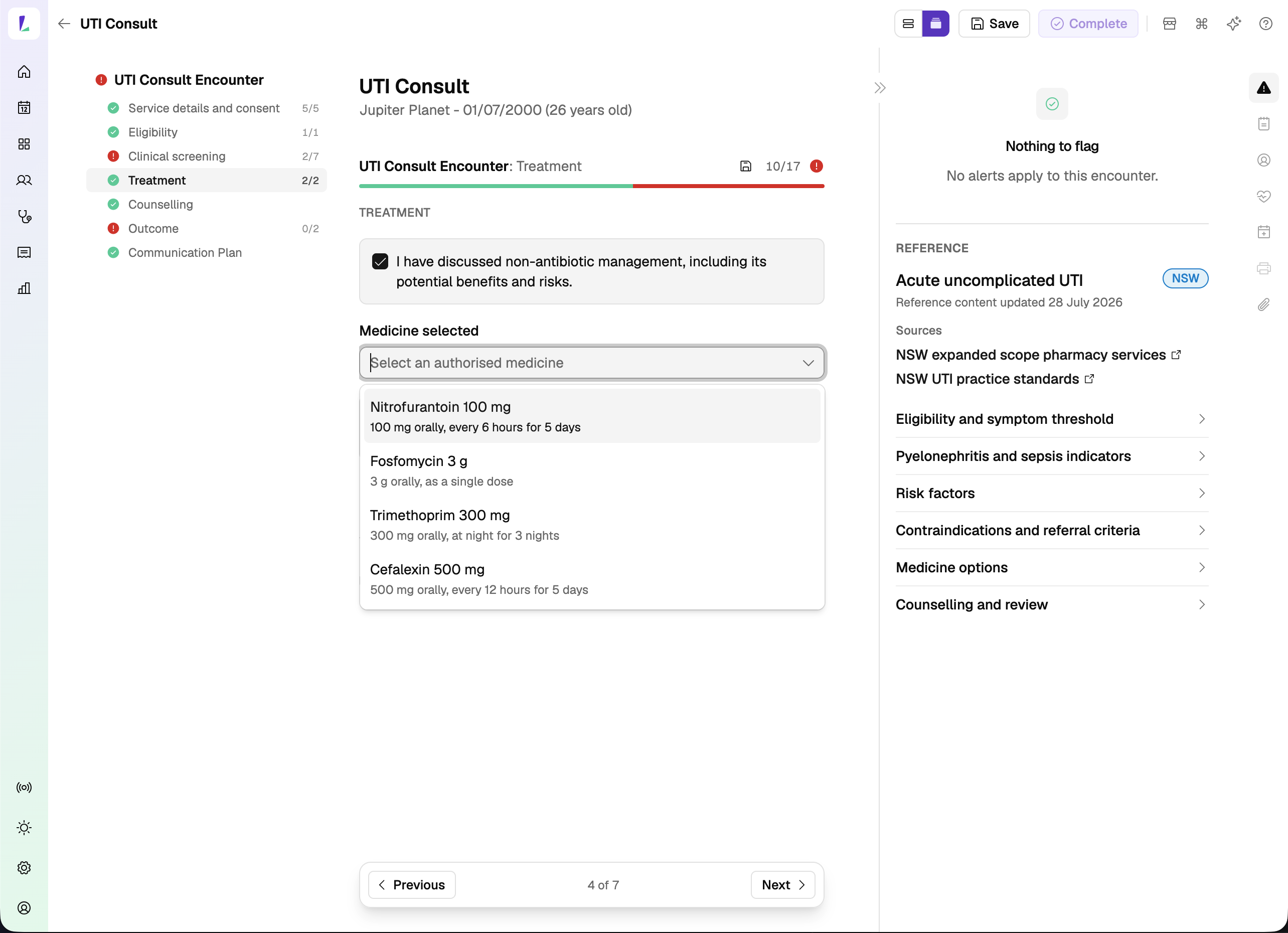
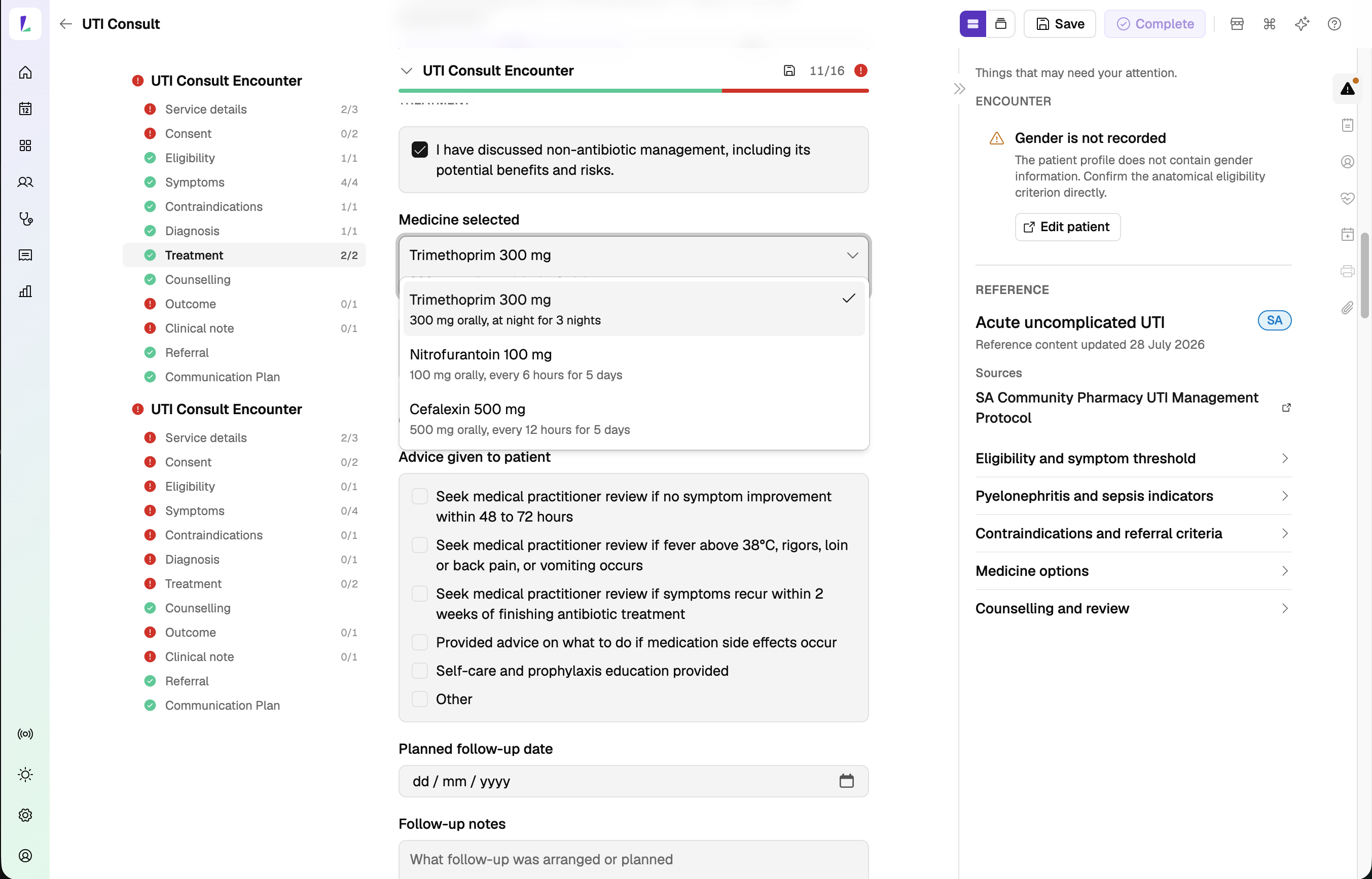
It's also the first consult where you choose how to move through it: a step-by-step wizard, or a single continuous scroll with a left-hand rail to jump between sections. Some pharmacists want to be walked through, others want everything on one page – pick whichever suits you.
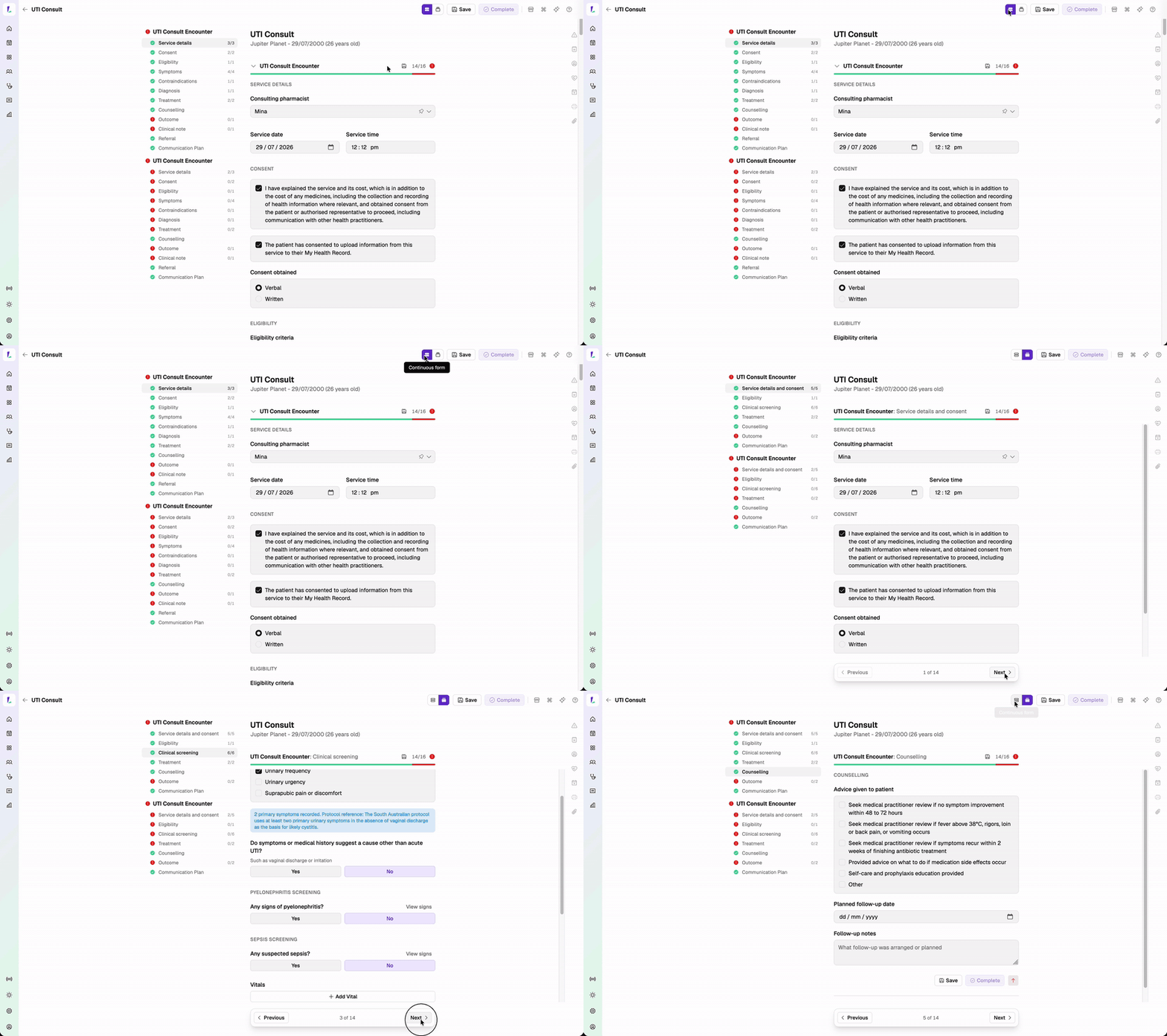
Learn how to record a UTI consultation.
Integrative medicine consults
Record an integrative medicine consultation, with a structured questionnaire covering stress, pain, immune and digestive health, and an encounter for your case notes. The Questionnaire panel stays on the right as you work – switch between the patient's Answers and the Results, where each area is scored and products are ranked to draw on through the consult.
When you're done, print a practitioner prescription – with your treatment plan – for the patient or their GP.
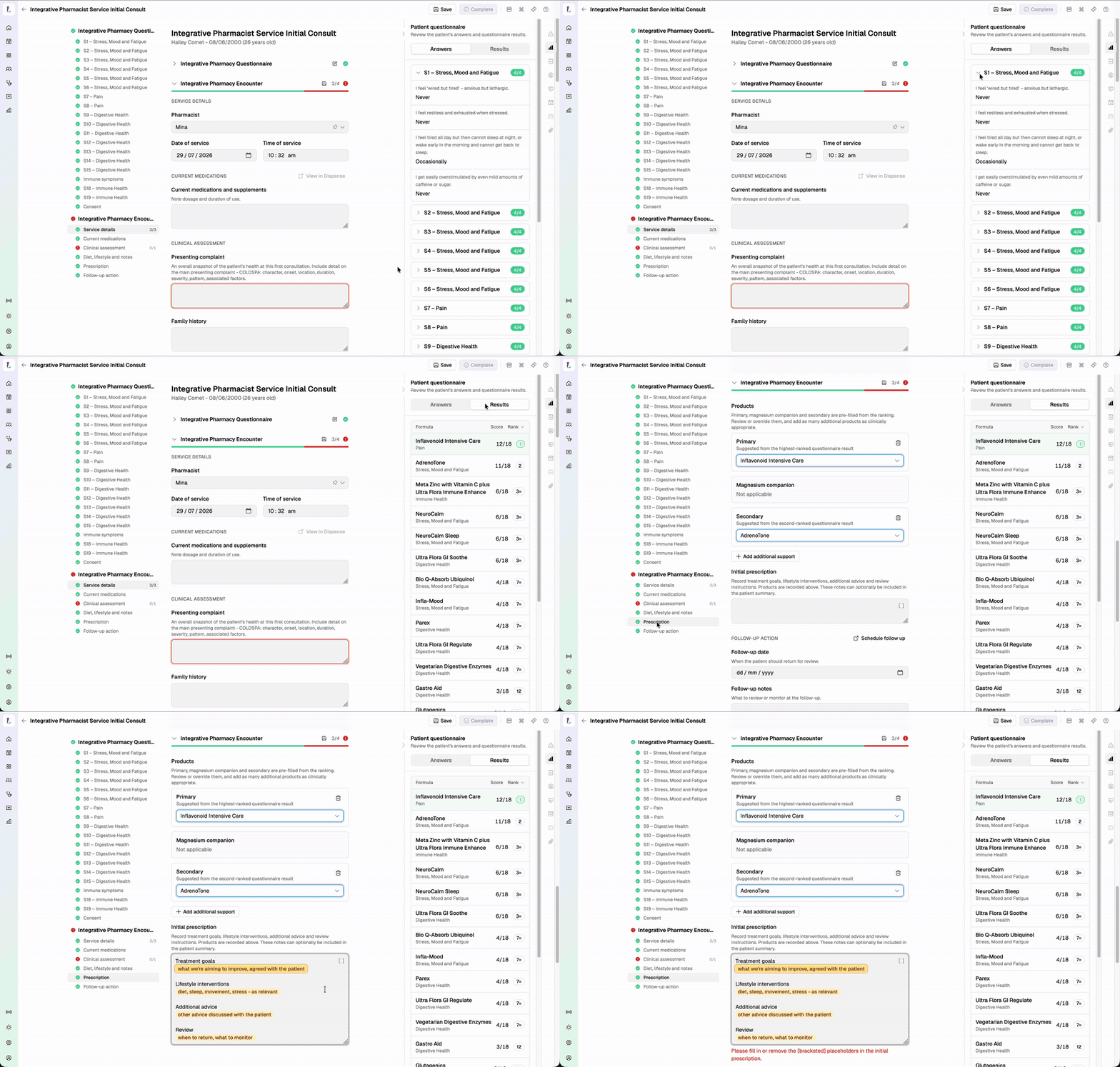
Learn how to record an integrative medicine consultation.
The Dashboard Inbox
A new Inbox on the Dashboard brings outstanding items into one place to work through. It starts with claiming actions – the rejections and claim tasks that need your attention – and will grow over time to cover more, such as follow-up tasks from services.
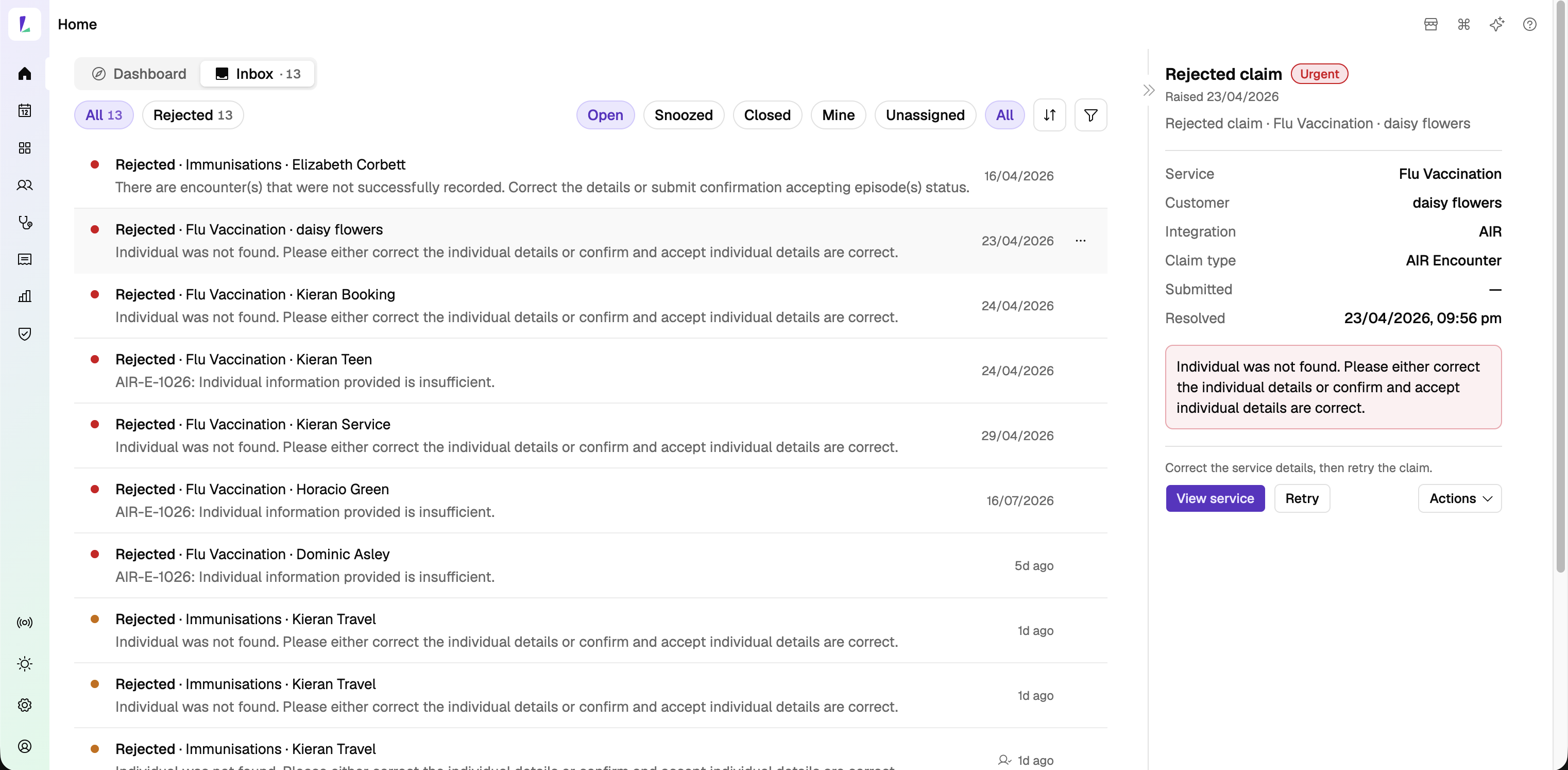
Learn how to work through the Dashboard Inbox.
Professional contacts
Add a patient's GP and other health professional contacts against their record. All contacts also live in their own directory under Settings, so you can see and manage the full list in one place.
A fast follow will let you search for a GP within an encounter to add them to referrals.
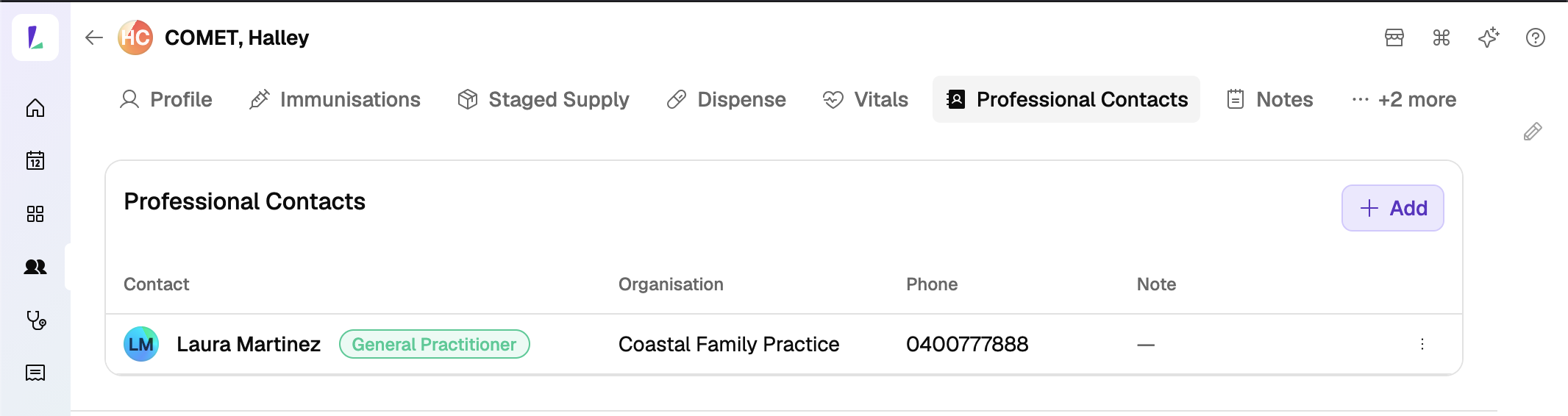
Learn how to manage professional contacts.
Claim MedsCheck services, with automated submission
MedsCheck and Diabetes MedsCheck claiming now supports automated submission – eligible claims go through without per-claim sign-off, like your other PPA program claims. Turn it on for your site under Settings›Programs.
Continue from a pre-travel consultation to vaccination
Finish a pre-travel health consultation and move straight into the vaccination encounter, carrying across the vaccines to administer from the vaccination plan. You can navigate back to the pre-travel consult whenever you need it.
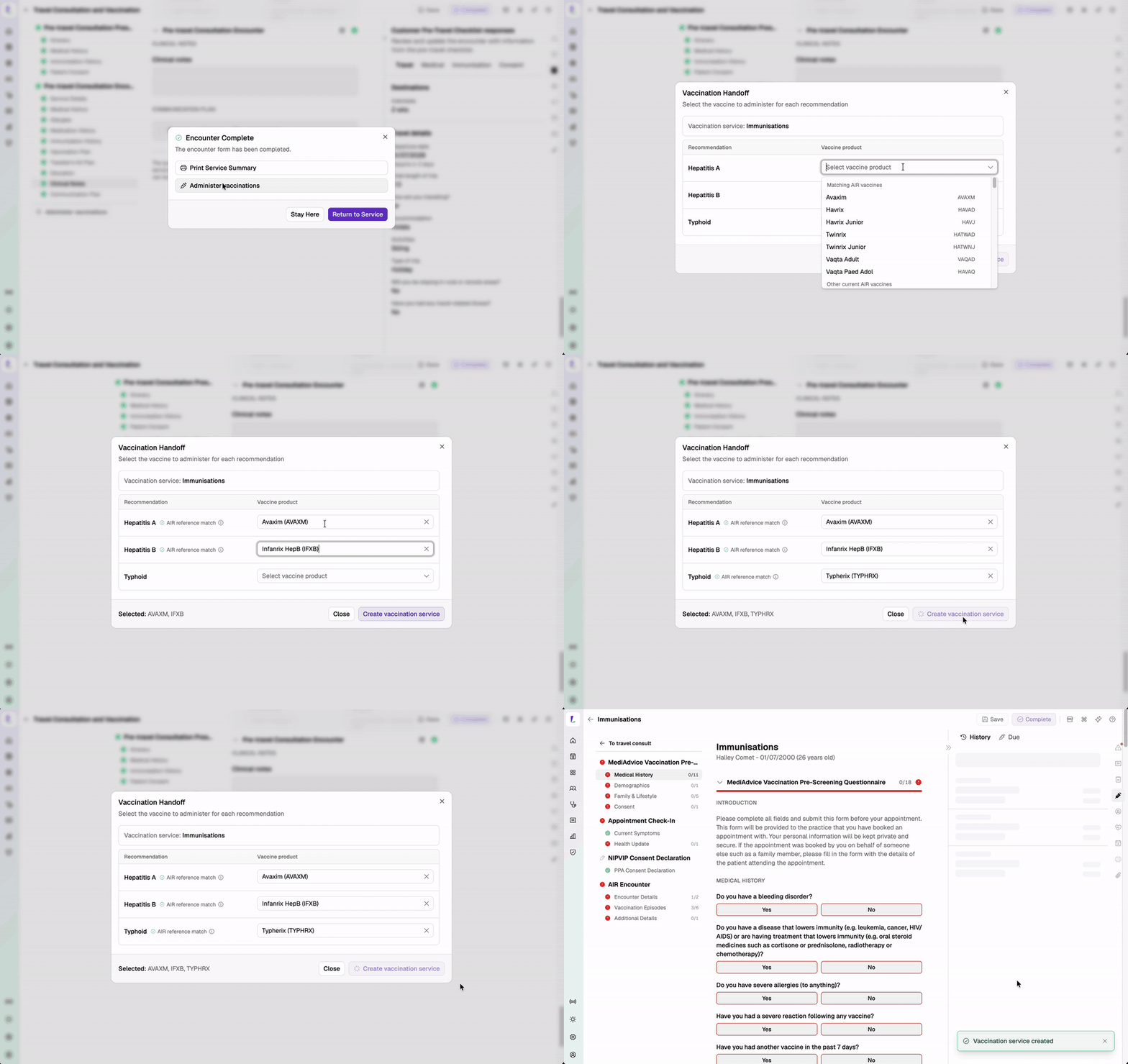
Shoutout to O'Connor's MediADVICE Pharmacy, QLD and TerryWhite Chemmart Stafford, QLD.
Print the Service Summary straight after completing an encounter
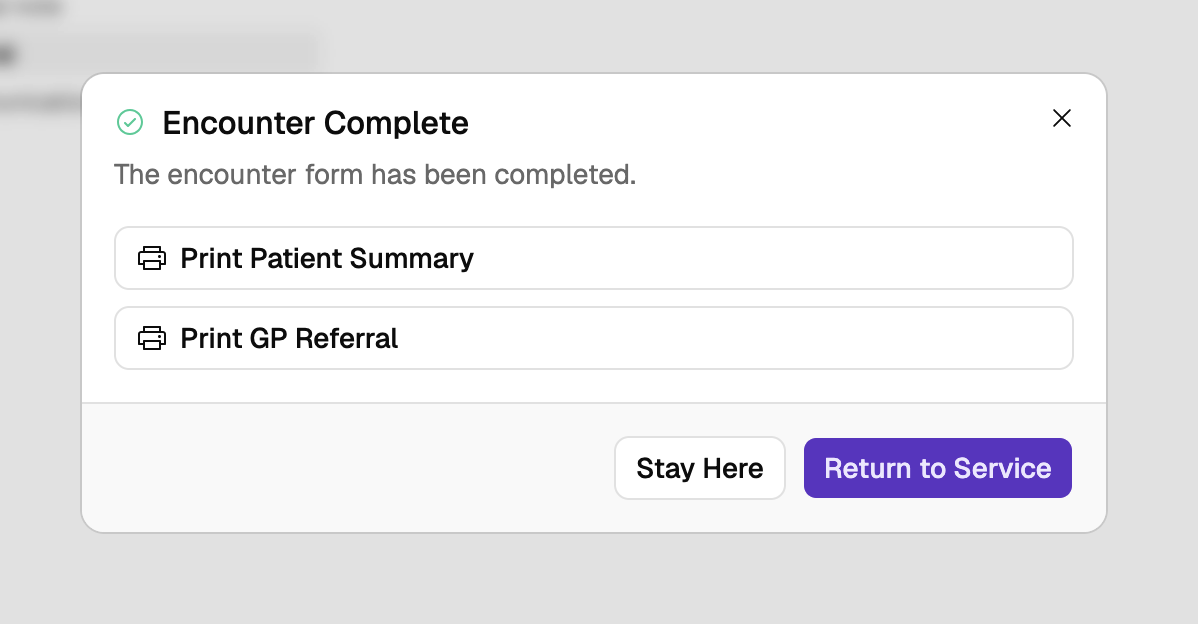
Complete an encounter form and a dialog confirms it's done and offers to print the summary there and then. The documents on offer depend on the encounter – a UTI consult, for example, offers the Patient Summary and a GP Referral. Choose Stay Here or Return to Service to carry on. Available on Medicines by Injection, Integrative Medicine, UTI, MedsCheck, and Pre-Travel consults.
One-off availability changes
Make a one-day change to a service's availability without creating a custom availability period. Set an exception date on the offering for the day you need to vary.
Shoutout to TerryWhite Chemmart Geelong West, VIC and TerryWhite Chemmart Prahran, VIC.
Vitals – new respiratory rate
Respiratory rate is now available as a vital alongside the existing measurements. The Vitals tab count reflects the number of distinct vital types recorded.
See Recording vitals.
Checklists, pre-screeners and templates prompt for information commonly recorded for a service, but may not cover every patient or clinical scenario. Additional information can be recorded in the encounter notes or added as an attachment.