Recording a Pre-Travel Health Consultation
Review a traveller's itinerary, history, and pre-travel checklist, build their vaccination and traveller's kit plan, then add a Vaccination service to record the immunisations you administer.
A pre-travel health consultation reviews where your patient is going, their medical and immunisation history, and the vaccines and advice they need before they travel. You work through the encounter to build a vaccination plan, a traveller's kit plan, and a record of the education you provided, and to refer the patient on where a vaccine is outside your scope.
Starting the service
There are three ways to start:
- From Services – go to Services, select Add, choose the travel consultation service, then select an existing customer or add a new one.
- From the customer – open the customer's record, select Services, then choose Add service and select the travel consultation service.
- From a booking – if the patient booked in for the service, start the encounter from their booking.
The pre-travel checklist
Before the appointment, the patient completes the Pre-Travel Checklist. It covers their itinerary, medical and immunisation history, and consent. The patient can complete it themselves, or you can complete it with them – see Sending a form to a kiosk.
Reviewing the checklist responses
Open the encounter and the patient's answers sit in the Customer Pre-Travel Checklist responses panel on the right, grouped under Travel, Medical, Immunisation, and Consent. Keep it open as you work – it saves flipping back and forth between the checklist and the encounter.
Where a section has an Add from Prescreener link – Medical History and Allergies – you can pull the conditions and allergies the patient reported straight from the checklist into the encounter, rather than re-typing them. Medication History has Add from Dispense to bring in their dispensed medicines.
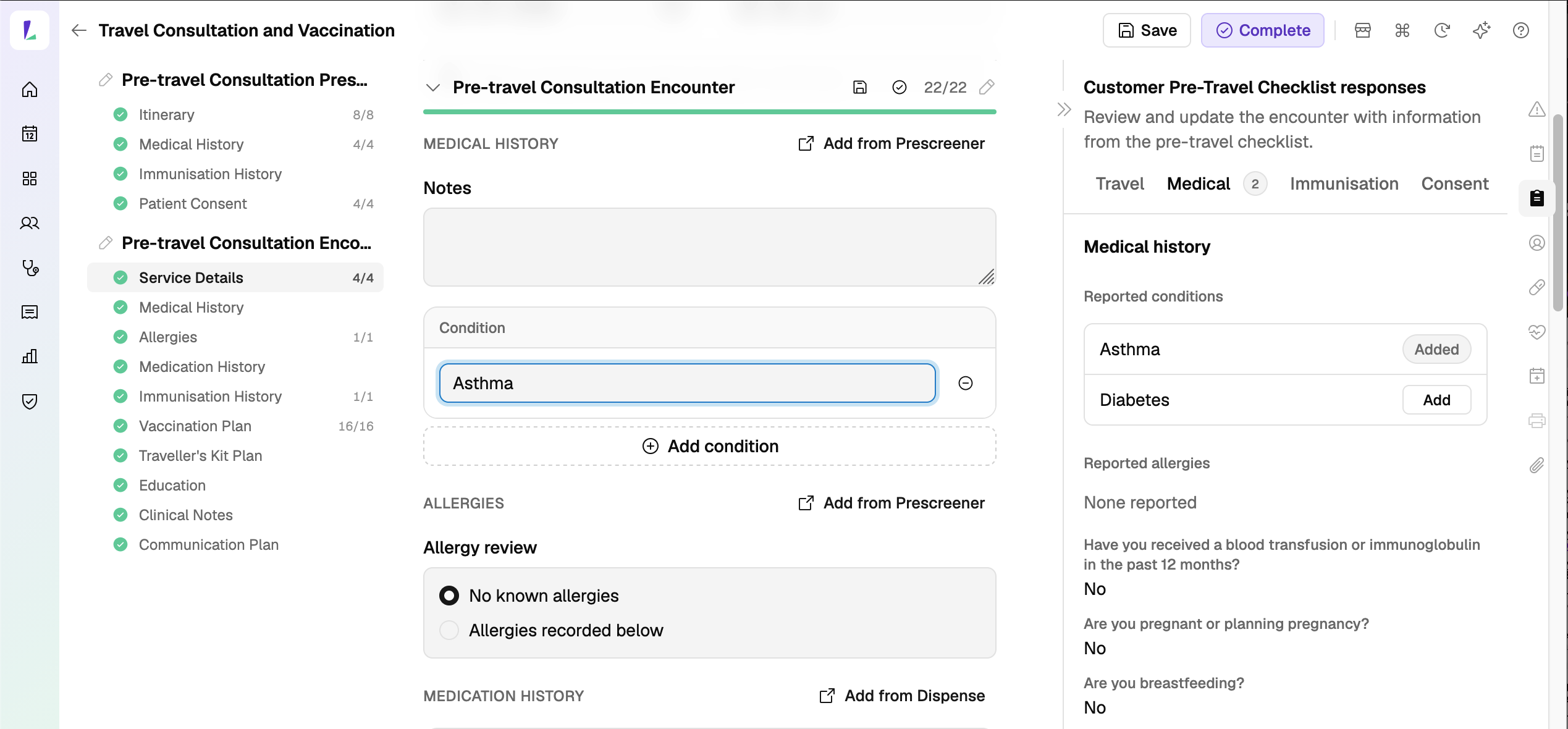
The right-hand rail also has an Immunisation history panel, showing the patient's prior immunisations from the AIR. Open it to review what they've already had as you decide the plan. See Using encounter panels.
Building the plan
Work down the encounter sections:
- Medical History, Allergies, Medication History, and Immunisation History – the patient's clinical picture, drawn from the checklist, dispense, and your review.
- Vaccination Plan – common travel and routine vaccines are pre-listed. Mark each as 'Recommend', 'Up to date', or 'Refer' – you can work through it with the patient as you decide what to recommend. Use Add antigen to add one that isn't listed, or remove any you don't need. Some antigens default to 'Refer' – for example, Yellow Fever.
- Traveller's Kit Plan – turn on Prepare a Traveller's Kit Plan to record the items you recommend the traveller should pack.
- Education – tick the education topics you covered.
- Clinical Notes and Communication Plan – your notes, and any referral to the patient's healthcare provider.
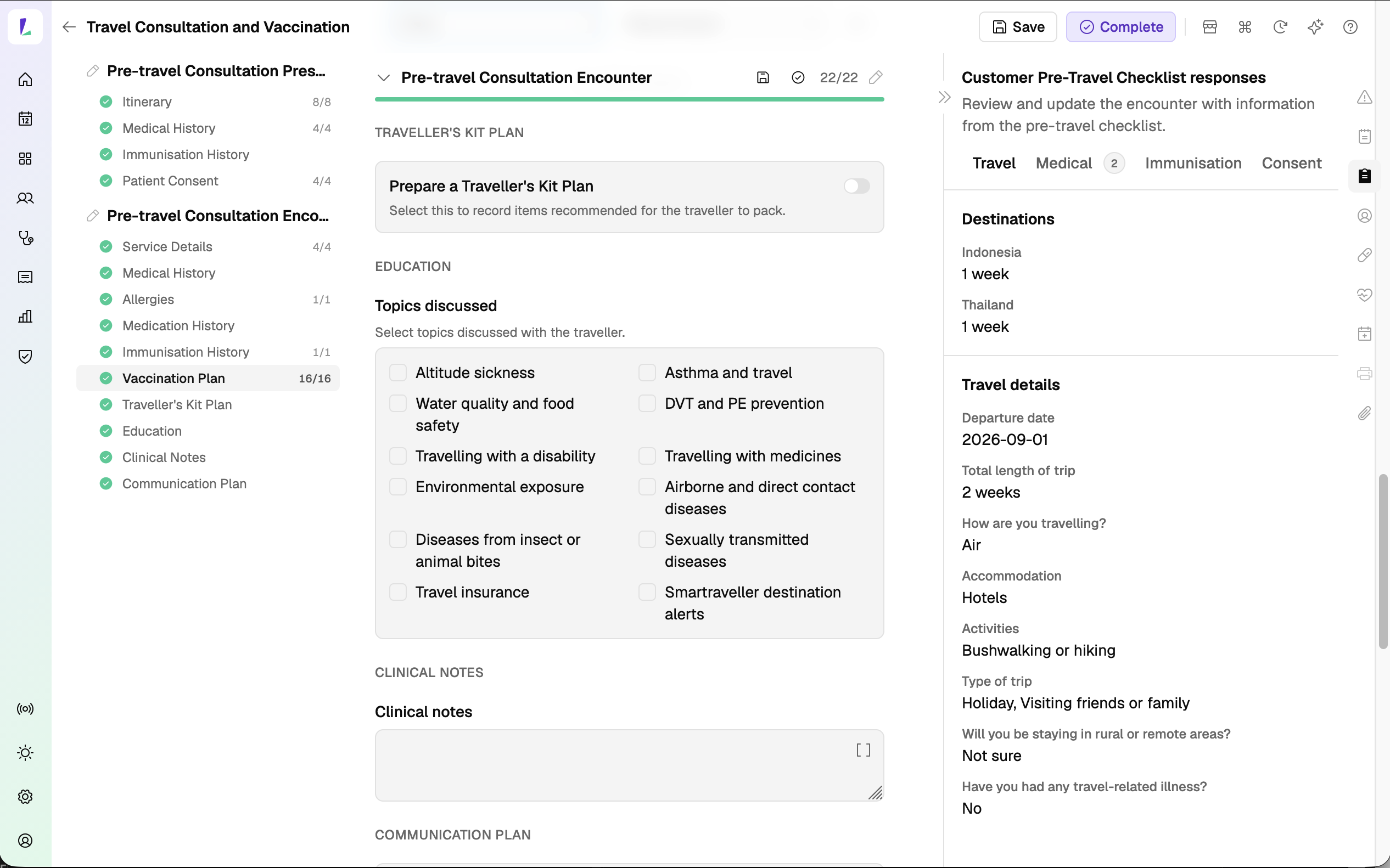
Once the encounter is completed, you can print the Service Summary for the patient – from the right-hand panel, or from its service overview.
If there's more you'd like to capture than the structured fields hold, add it to the Clinical Notes, the Notes panel on the right, or as an attachment.
Continuing to vaccination
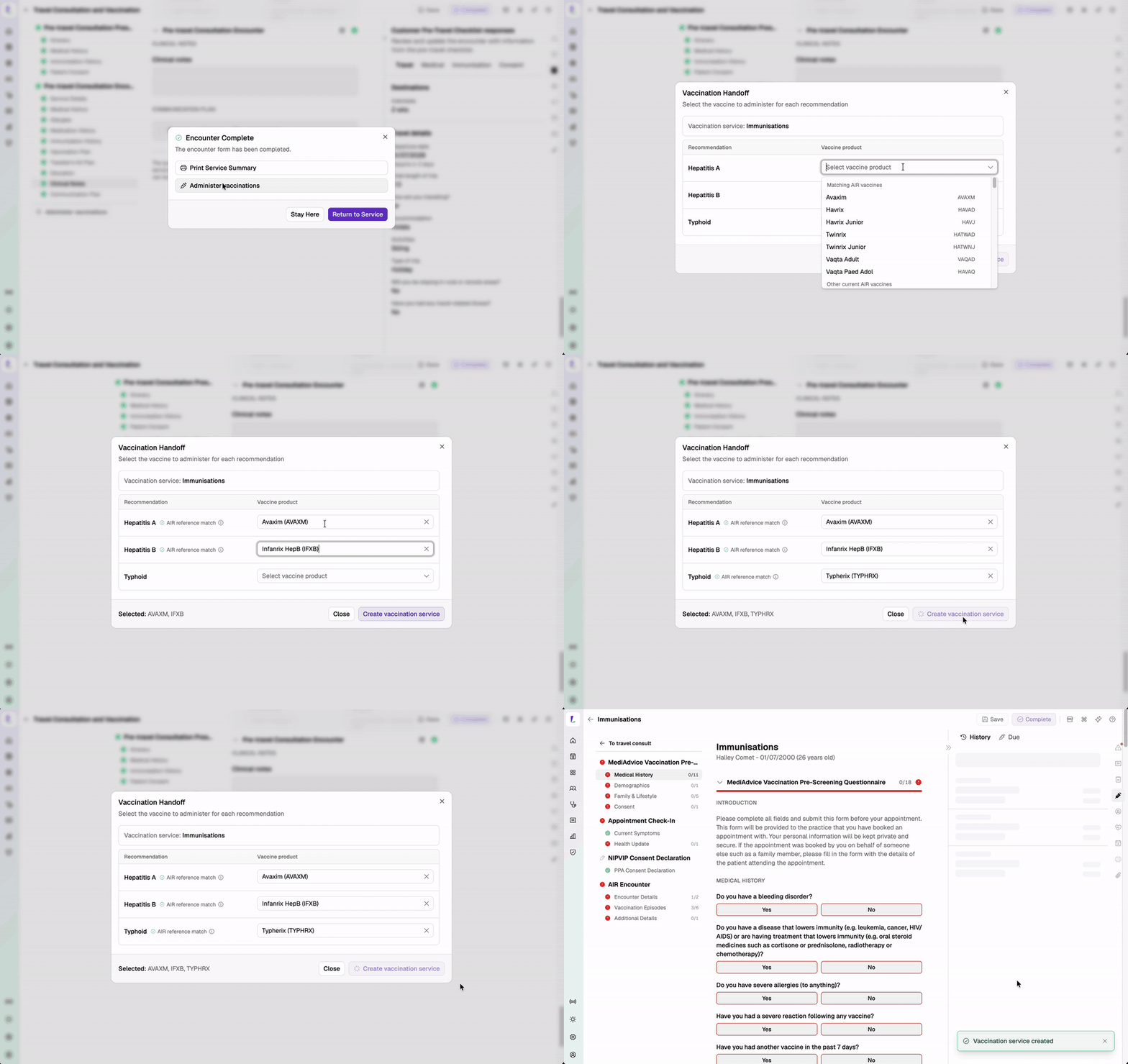
The Vaccination Plan records what you recommend – it doesn't record the vaccines you administer. When the consultation is complete and your patient is ready for immunisation, you can move straight into the vaccination encounter.
The antigens you marked 'Recommend' carry across to the Vaccination Handoff: choose the vaccine product to administer for each recommendation, then create the vaccination service with those vaccines preloaded – ready to record each administration and submit to the AIR. You can navigate back to the pre-travel consult whenever you need it.
Recording responsibility
This article explains how to record this encounter in Light. Practitioners remain responsible for delivering the service in accordance with applicable clinical, program and jurisdictional requirements and for maintaining a complete and auditable record. See Recording Encounters in Light.