Administering a Medicine by Injection
Record a medicine administered by injection in an encounter – the medicine, dose, batch, route, and site – then use the note and referral templates to produce a Service Summary or a referral for the patient's healthcare provider.
Record a medicine you've administered by injection – such as denosumab or B12 – by starting a Medications by Injection service and working through the encounter.
The encounter captures the medicine, dose, batch, route, and site, and includes documentation templates to support continuity of care and give to your patient or their GP.
For opioid dependence treatment injections claimed through the PPA, use the Meds by Injection – ODT service instead. See Recording a Meds by Injection – ODT.
Starting the service
There are three ways to start:
- From Services – go to Services, select Add, choose the injection service, then select an existing customer or add a new one.
- From the customer – open the customer's record, select Services, then choose Add service and select the injection service.
- From a booking – if the patient booked in for the service, start the encounter from their booking.
The pre-screener
If a pre-screener is configured on your service, it appears alongside the encounter. The patient can complete it themselves, or you can complete it with them – see Sending a form to a kiosk.
The form has three parts – Medicine & Prescriber (the medicine requested, whether it's under a valid prescription or medication order, what it's for, whether this is the first time receiving it, and who prescribed it), Health Screening (any medical condition, symptom or recent change in health, any known allergy or previous serious reaction, and pregnancy, breastfeeding or planning pregnancy), and Consent.
Answers that need your attention are raised as clinical alerts on the encounter, so you don't have to spot them in the responses – an allergy or previous serious reaction, a first-time administration, a reported medical condition, symptom or recent change in health, pregnancy, breastfeeding or planning pregnancy, and no valid prescription or medication order. Several of these need acknowledging before you can move on. See The alerts panel.
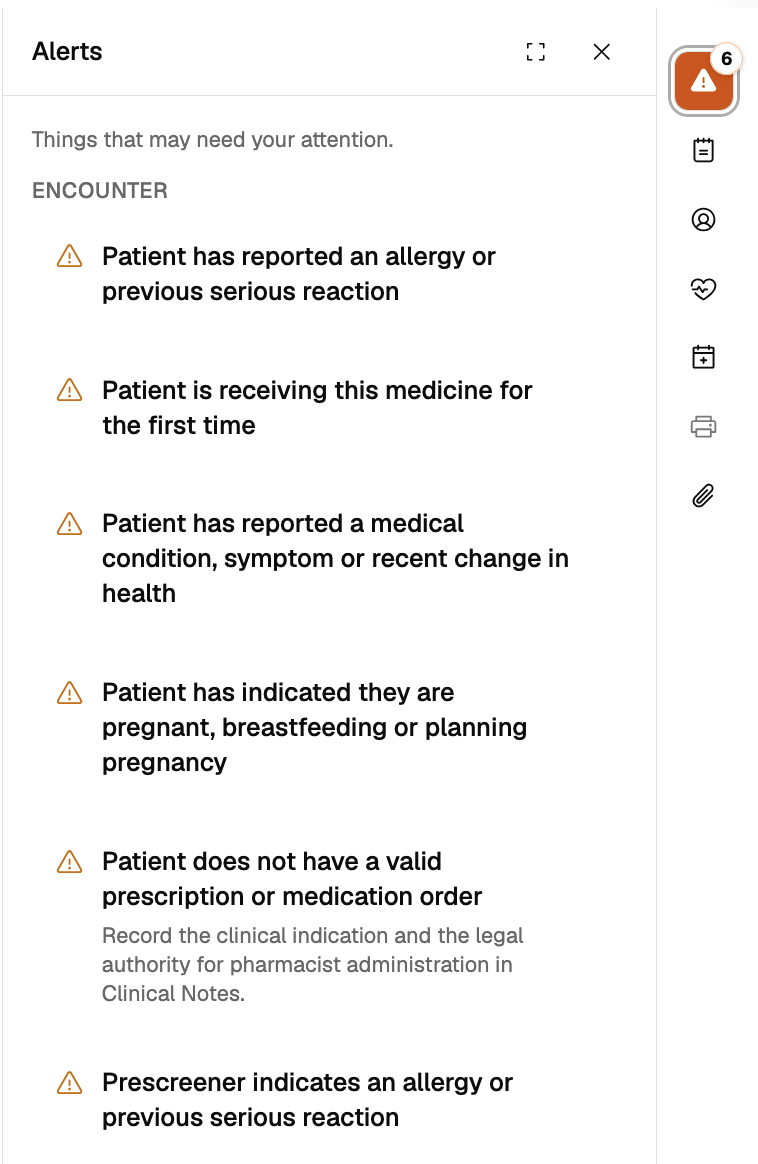
Once the pre-screener is submitted, the healthcare provider details recorded in it appear in the Prescriber section of the Service Summary.
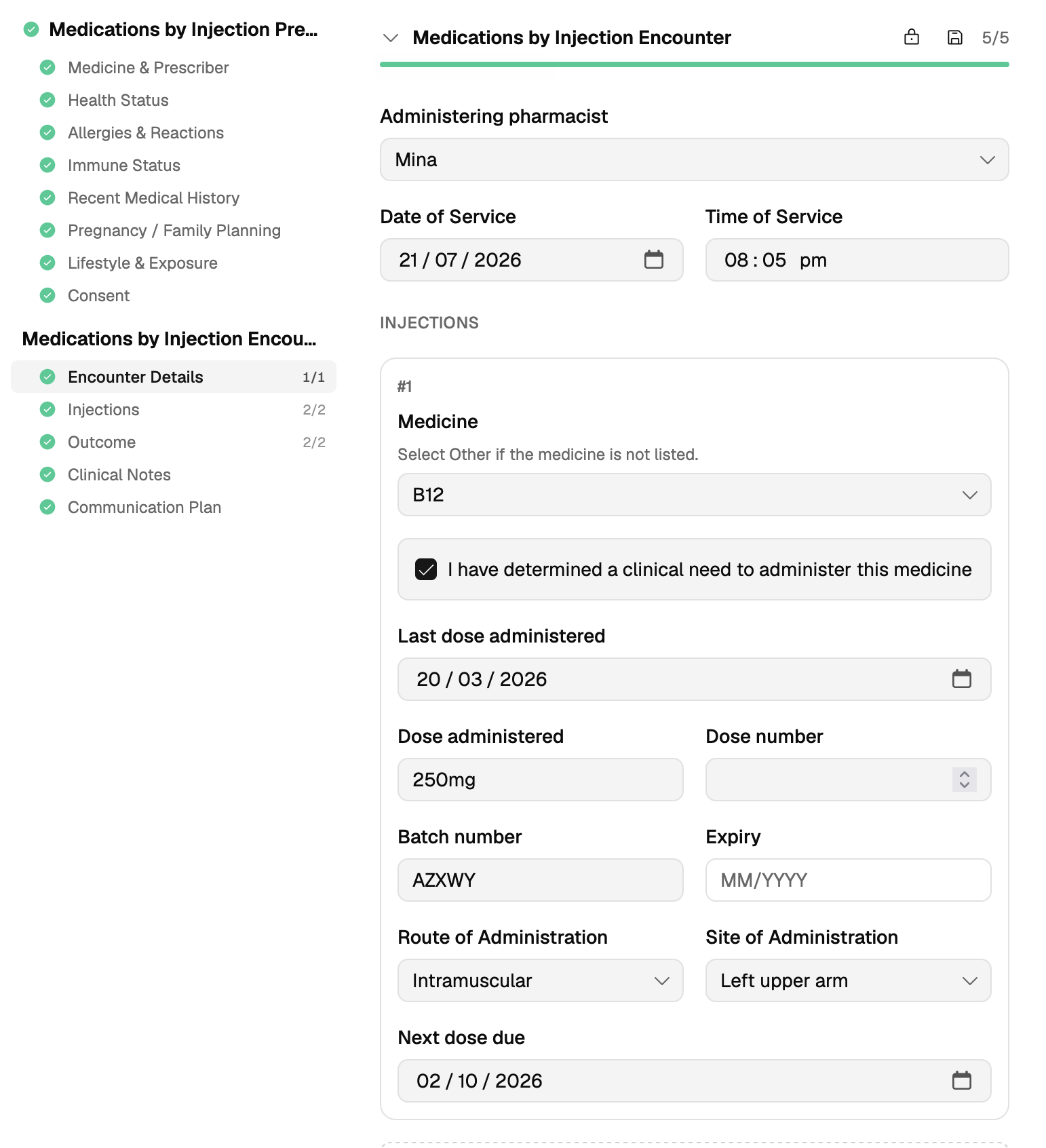
Encounter Details
Select the Administering pharmacist. Their AHPRA registration number fills in automatically. Date of Service and Time of Service default to now – change them if you're recording the injection later.
Recording the injection
Under Injections:
- Select the medicine. The medicine list has been updated – search by product or ingredient name, or item number, and each result shows the brand or ingredient beneath it. The list isn't connected to a drugs database, so it won't hold every product. If the patient is linked to dispense, you can also pull the medicine straight from their dispense history using the Dispense panel on the right. If the medicine isn't in the list or in the patient's dispense history, choose Other and type in the medicine, brand, and strength.
- Record the last dose administered, if known.
- Record the dose, batch number, and expiry. For many medicines the dose is suggested for you – edit it if what you gave differs. Record the dose number if the injection is part of a numbered course.
- Record the route and site. Choose the route – intramuscular, subcutaneous, or intradermal, or Other if it isn't listed – and the site you injected into.
- Set the next dose due date, if the medicine is part of an ongoing course. Pick a quick interval – 1 week, 2 weeks, 1 month, 3 months, 6 months or 1 year – and Light counts it from the date of service. Enter a date directly if the interval you need isn't listed.
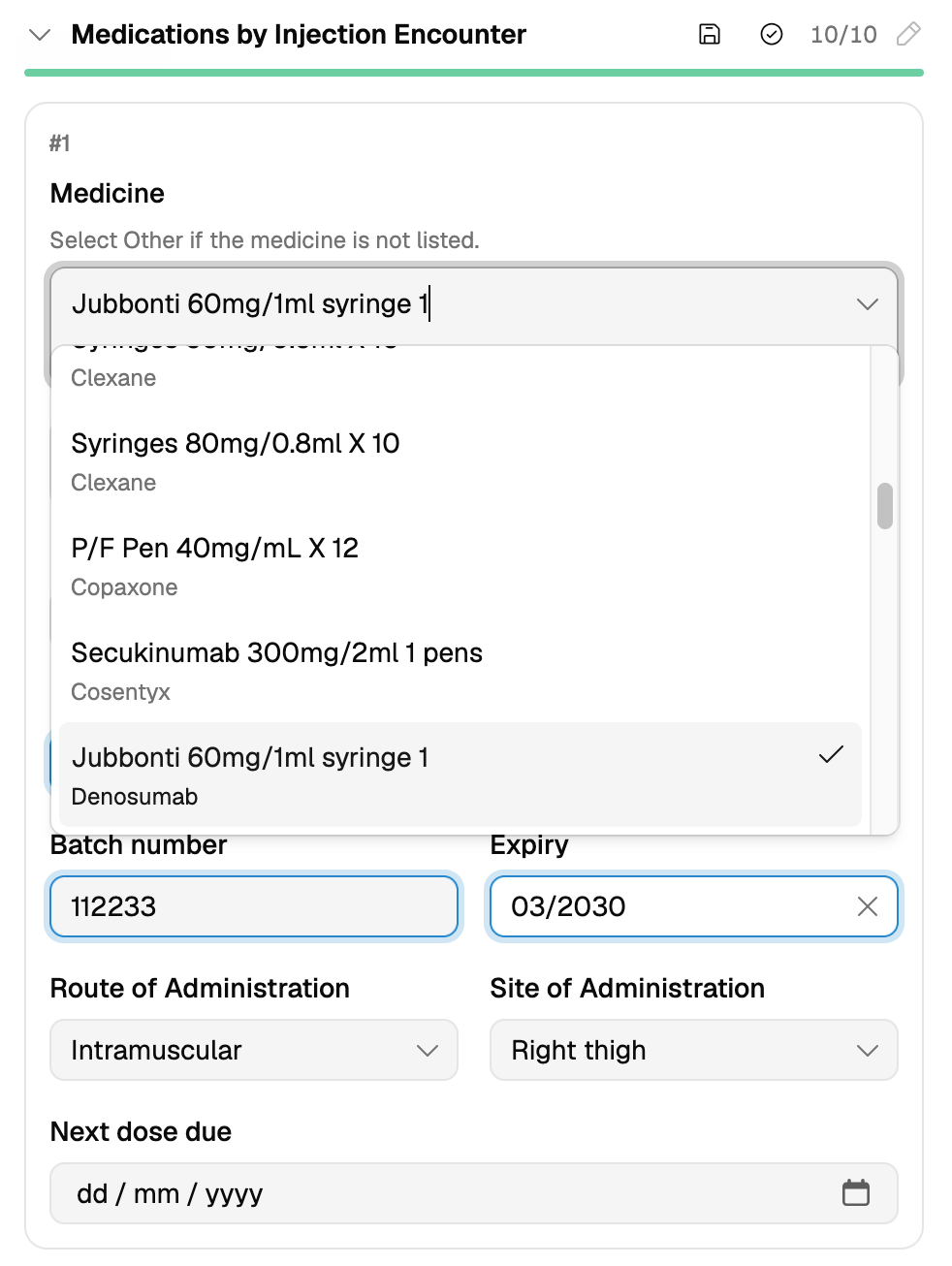
To record more than one injection in the same encounter, choose Add another injection.
Outcome
Outcome defaults to Administered. If you didn't administer, choose Not administered and give the reason – for example the patient wasn't well that day, it was too soon since their last dose, or they declined.
When the medicine was administered, record the post-administration observation and whether a reaction was observed. Where a reaction was observed, describe what happened, when, the severity, and the action you took. Light shows a link for reporting adverse events to the TGA.
Clinical notes
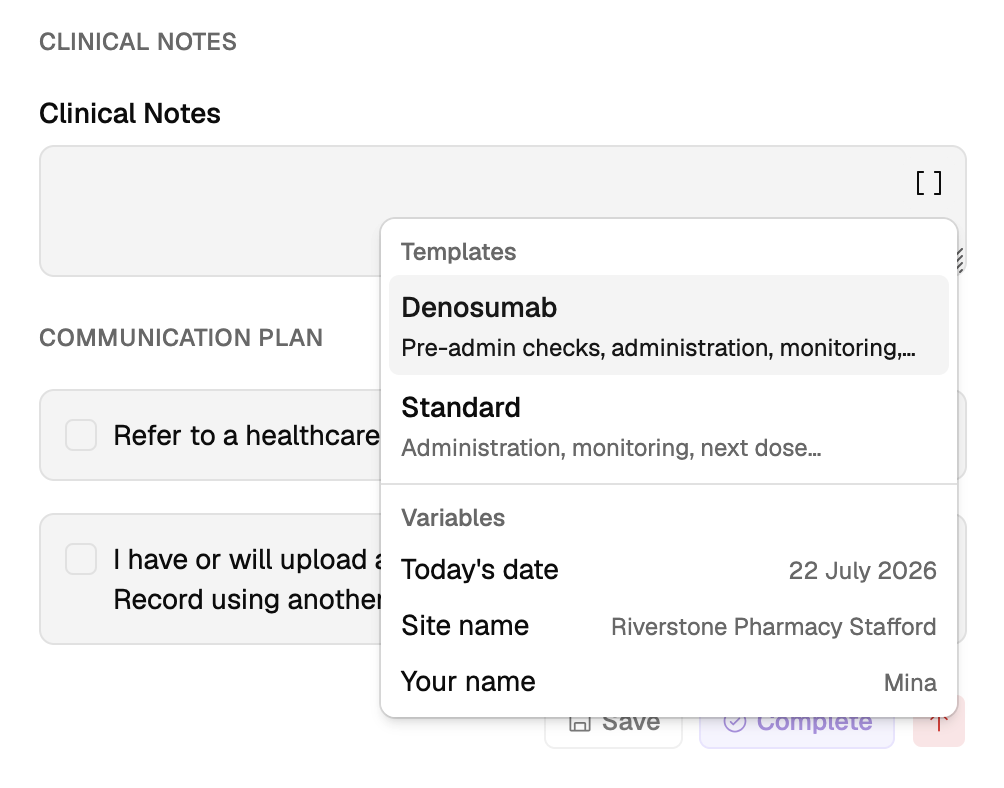
Write your notes in Clinical Notes, or start from a template. There's a Denosumab template, covering pre-administration checks, administration and monitoring, and a Standard template covering administration, monitoring, and the next dose.
Templates come with [BRACKETED] placeholders – fill them in or remove them before you complete the encounter. Each placeholder is a stop: press Tab to jump to the next one rather than clicking through the note.
The same menu offers Variables you can drop into your notes – today's date, your site name, and your own name – so you don't have to type them.
Communication plan
Where you're referring the patient on, select Refer to a healthcare provider, enter their details, and write the referral. The referral has its own Denosumab and Administration templates, and you can choose Copy from clinical notes to bring your notes across rather than retyping them.
Where the patient has consented to it, there's also an attestation to record that you have uploaded – or will upload – the encounter to My Health Record using another system.
What Light produces
Two documents come out of a completed encounter:
- Service Summary – covers the prescriber, the medicines administered with their dose, batch, route and site, the post-administration observation, your clinical notes, and who administered. Give it to the patient or their GP.
- Referral – addressed to the named healthcare provider, with the patient's details and your referral content.
Resources
- Guidelines for pharmacists administering medicines by injection (PSA)
- Summary of legal authority for pharmacist administration of medicines by injection (PSA)
Recording responsibility
This article explains how to record this encounter in Light. Practitioners remain responsible for delivering the service in accordance with applicable clinical, program and jurisdictional requirements and for maintaining a complete and auditable record. See Recording Encounters in Light.