Minfos integration, Staged Supply, MedsCheck, and ODT.
Light now connects to Minfos to bring in dispense history, adds a Staged Supply plan for recording collections, supports MedsCheck and Diabetes MedsCheck medication reviews, and adds ODT injections under Meds by Injection.
Early release. These features are rolling out to sites progressively, so they may not be available in your pharmacy yet. To find out more or request access, speak to your Head Office.
Minfos integration
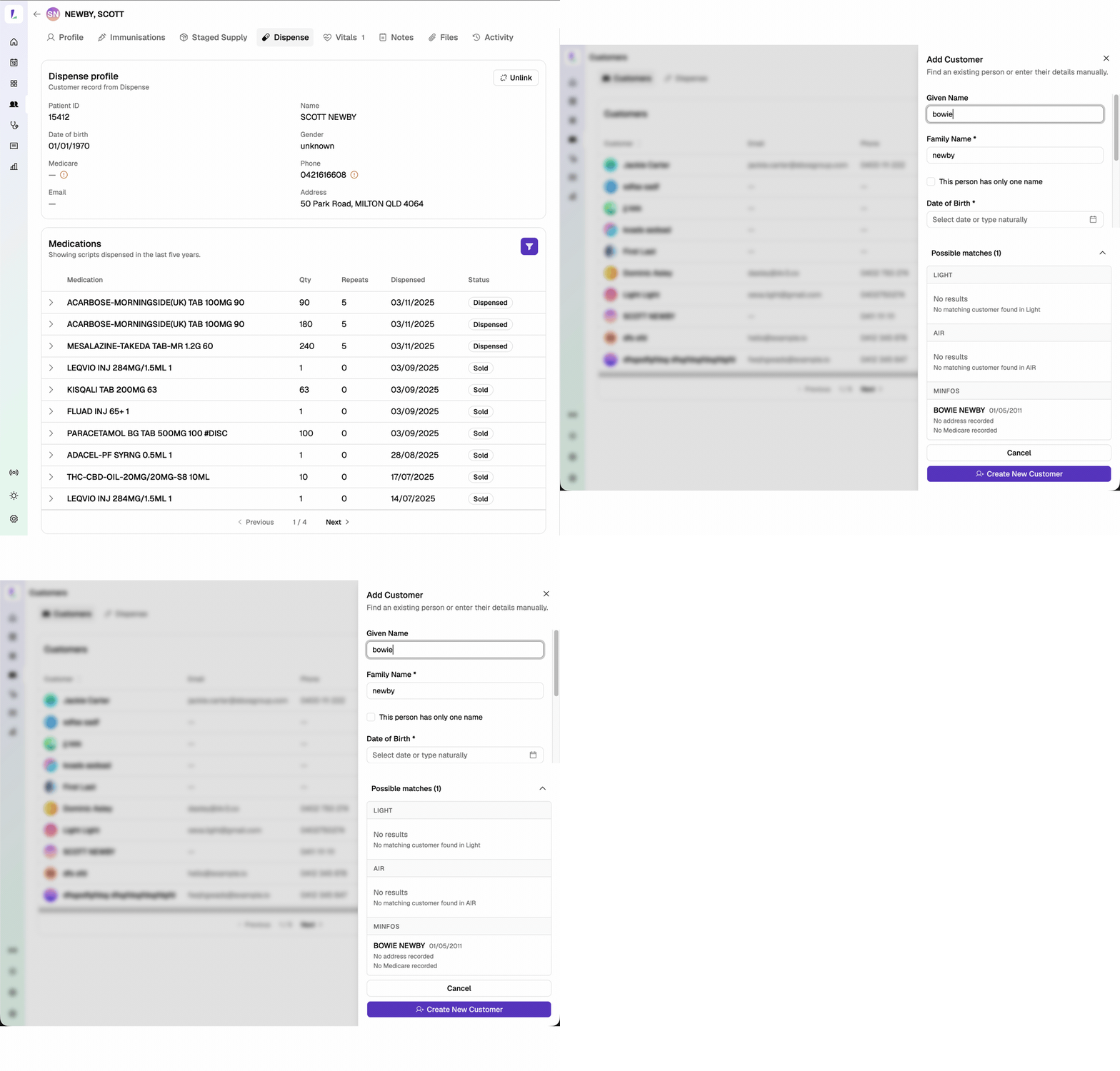
Light now connects to Minfos. You can search and add customers from Minfos and see their dispense history in Light.
When you search, results include matches from both Light and Minfos. The customer and their dispense history are only pulled into Light when you add them, and their dispense history stays up to date from then on.
With dispense history in Light, MedsCheck and Diabetes MedsCheck are easier – a customer's history is pulled in for you rather than entered by hand.
Before you connect: Minfos must grant access first. Raise a ticket with Minfos to request it – see the Dispense Integration guide for the steps.
See the Dispense Integration guide.
Staged Supply – a new way of recording collections
Staged Supply is a plan on the patient's record: set up the medicines, dose, and cadence, and print the agreement.
In Light you record each collection as it happens, against a running balance, and set the next collection date at the same time – rather than laying out a fixed timetable of future collections in advance.
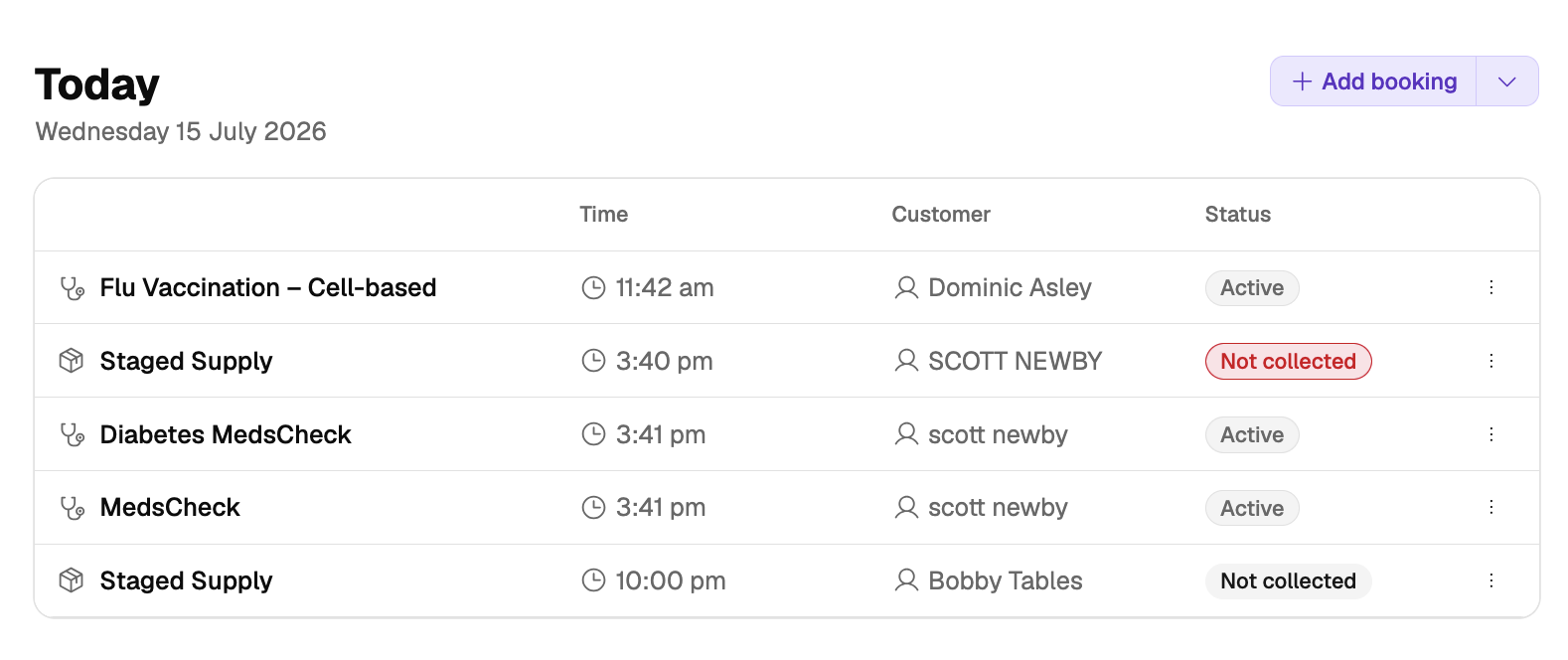
The Services›Staged Supply list shows who's due or overdue for collection, and collections due today appear on your dashboard. On the Claims screen, the Staged Supply tab lets you generate claims for your PPA claiming.
See the Staged Supply guide.
MedsCheck and Diabetes MedsCheck
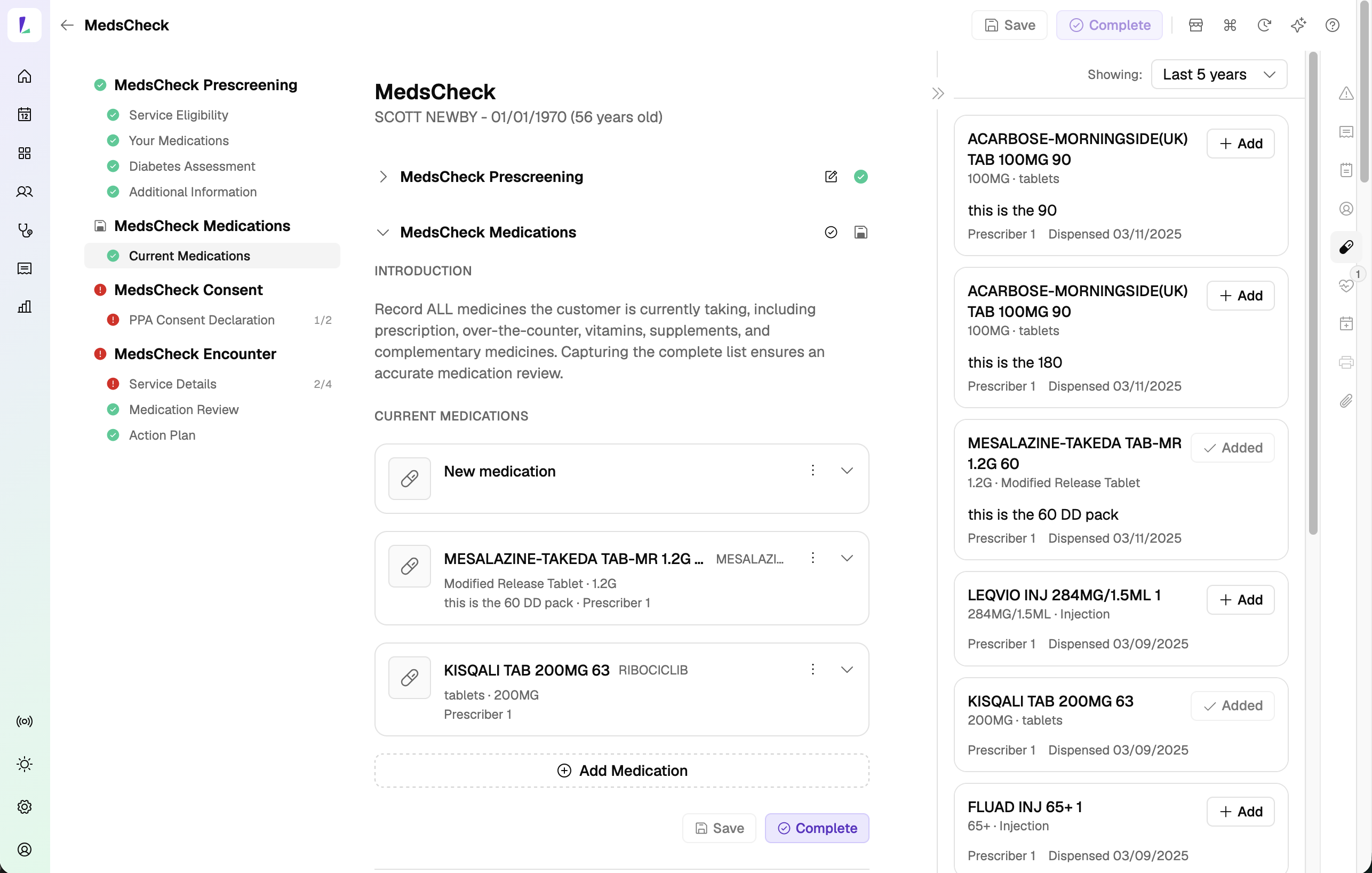
For a MedsCheck or Diabetes MedsCheck medication review, reconcile a patient's medicines from their dispense history or add OTC medicines manually, then produce an Action Plan and Medication Profile Review.
On completion, the claim is assessed and appears in Claims, where you can submit and declare it. Automatic PPA claiming is coming soon, and drug images are planned for a future update once our drug image database integration is complete.
See the MedsCheck guide.
Meds by Injection – ODT
Record an opioid dependence treatment (ODT) injection under Meds by Injection and claim it through PPA for eligible Section 100 medicines. Claiming is integrated – complete the encounter, then submit and declare from the Claims screen and Light lodges it with PPA directly.
Your pharmacy must be registered for the ODT Community Pharmacy Program on the PPA Portal for ODT claiming to work in Light.
See the Meds by Injection – ODT guide.
New Staged Supply and Dispense tabs
You'll now find these tabs in a few places:
- Customer record – new Staged Supply and Dispense tabs. The Dispense tab shows a customer's linked dispense record and dispensed scripts; if they're not yet linked, select Link to dispense to match them to a patient in your dispense system.
- Claims – new Staged Supply tab.
- Services – new Staged Supply tab.
- Encounters – new Dispense panel in the right-hand panels, so you can pull a customer's dispense history into the encounter. It appears once the customer is linked to dispense.