Recording a hormonal contraception resupply
How to record a resupply or continuation in the Hormonal Contraception Consult.
Use the Hormonal Contraception Consult to record a resupply or continuation of hormonal contraception.
The consult is available in the ACT, NSW, SA, TAS and WA, and guides you through the information required for the selected medicine and protocol.
- Start the consult
Create a Hormonal Contraception Consult for the patient – from Services, from the customer's record, or from their booking.
Record the consulting pharmacist, the service date and time, and the patient's consent.
Where your jurisdiction requires your HPI-I, add it to your profile at Settings›Team before you complete the consult.
- Choose how to view the form
Use Form display to switch between:
- Continuous form – the consult on one scrolling page.
- Step-by-step form – one section at a time.
You can switch between the two at any time.
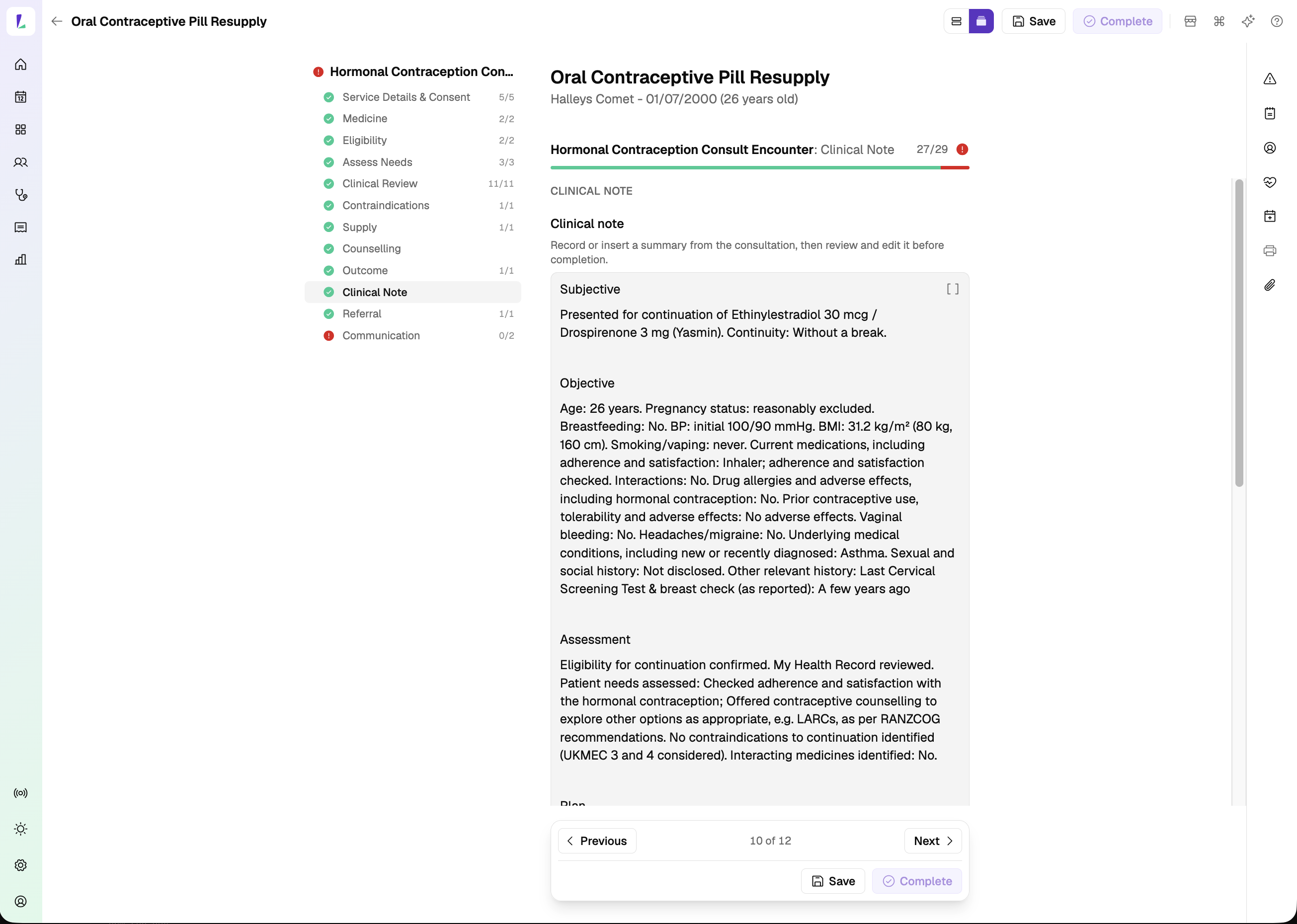
Step-by-step mode. - Complete the assessment
Select the patient's current hormonal contraception medicine, then work through the assessment – history, eligibility, contraindications, measurements and counselling. The questions and options shown vary with the medicine and your jurisdiction.
Where required, record the patient's blood pressure.
Select View Contraindications for the full list to consider, and open the Reference panel for the clinical guidance that applies.
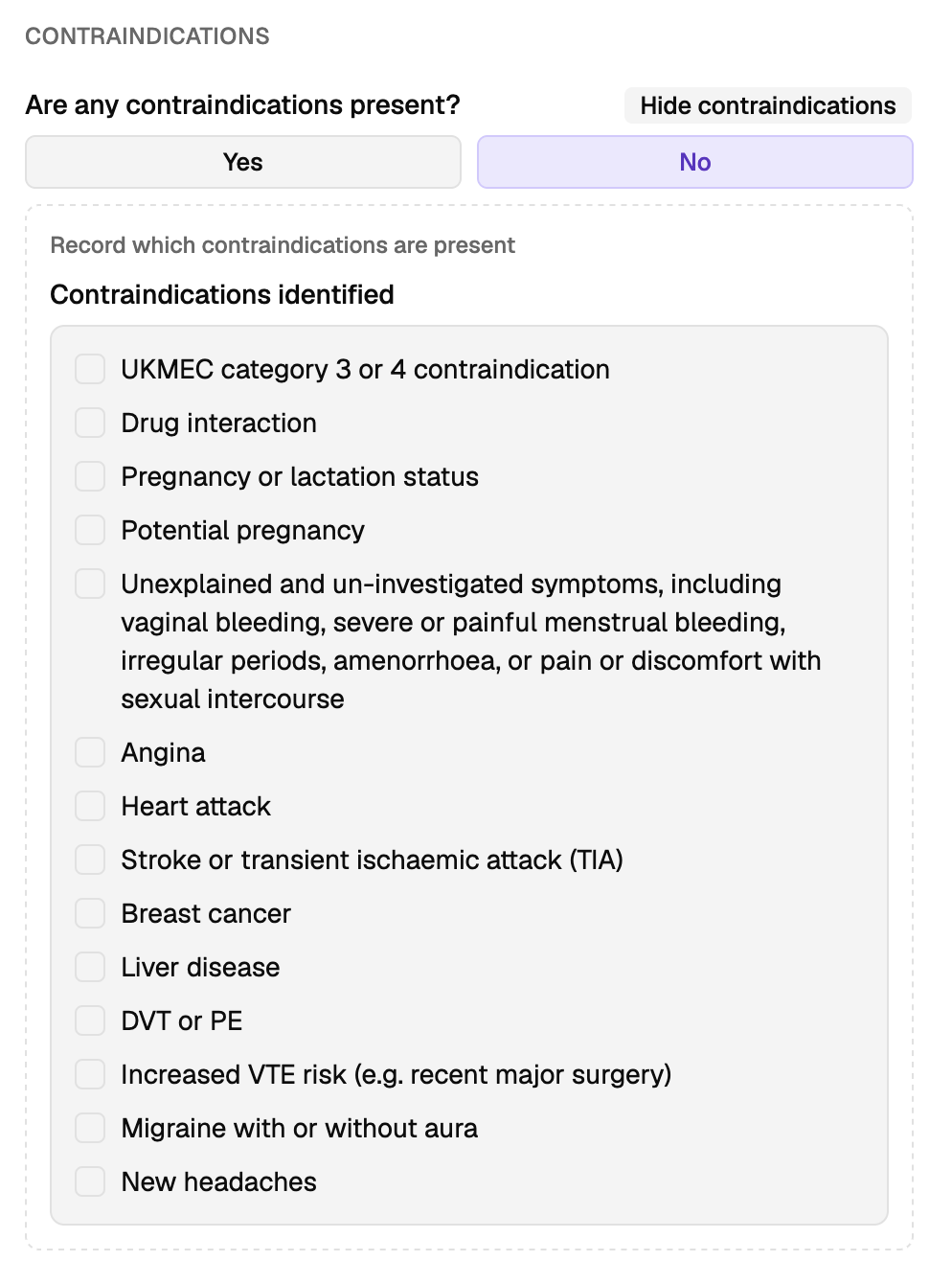
View Contraindications shows the full list. Anything the structured fields don't hold can go in the Clinical note, the Notes panel, or an attachment.
- Record the outcome
Record the outcome of the consult:
- Supply
- No supply
- Referral
- Declined / not proceeded
A referral can be recorded alongside another outcome.
Where your jurisdiction requires it, record whether the supply was shared with the patient's usual medical practitioner and uploaded to My Health Record. The upload happens through your dispense system.
- Record a referral
Select the referral pathway, then enter the receiving provider and the referral details. Write the referral yourself, or start from a template – ISBAR referral is one of them, drafted from the consult for you to edit.
The referral is added to the patient's referral list. See Recording a referral.
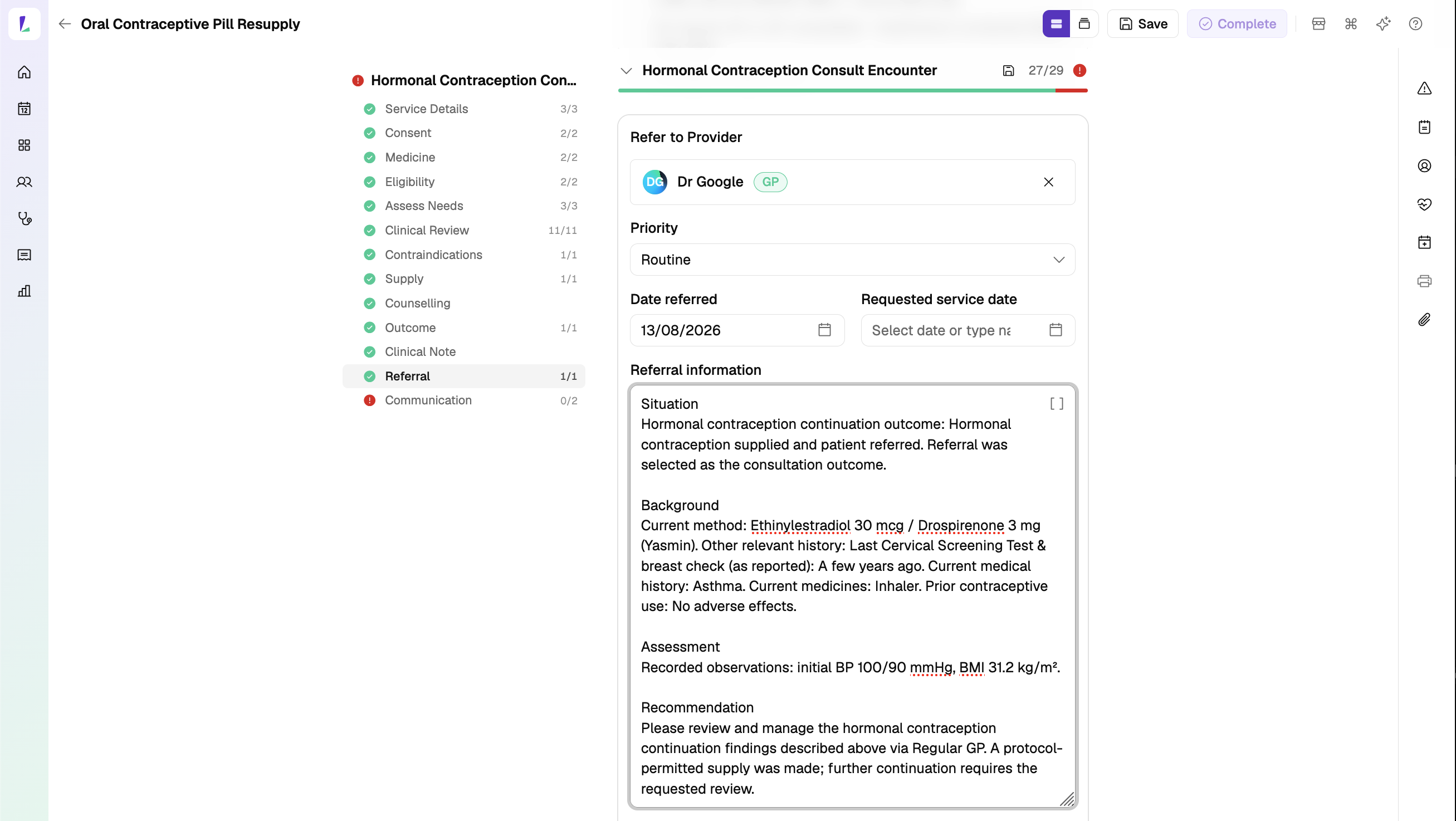
The ISBAR template, drafted from the consult. - Tasmania: record the prescription
In Tasmania a resupply is made by prescription. Record:
- prescription issue date
- quantity
- directions for use
- repeats
- minimum repeat interval, where applicable
Then record the confirmations about the patient's choice of pharmacy and the separation of prescribing and dispensing.
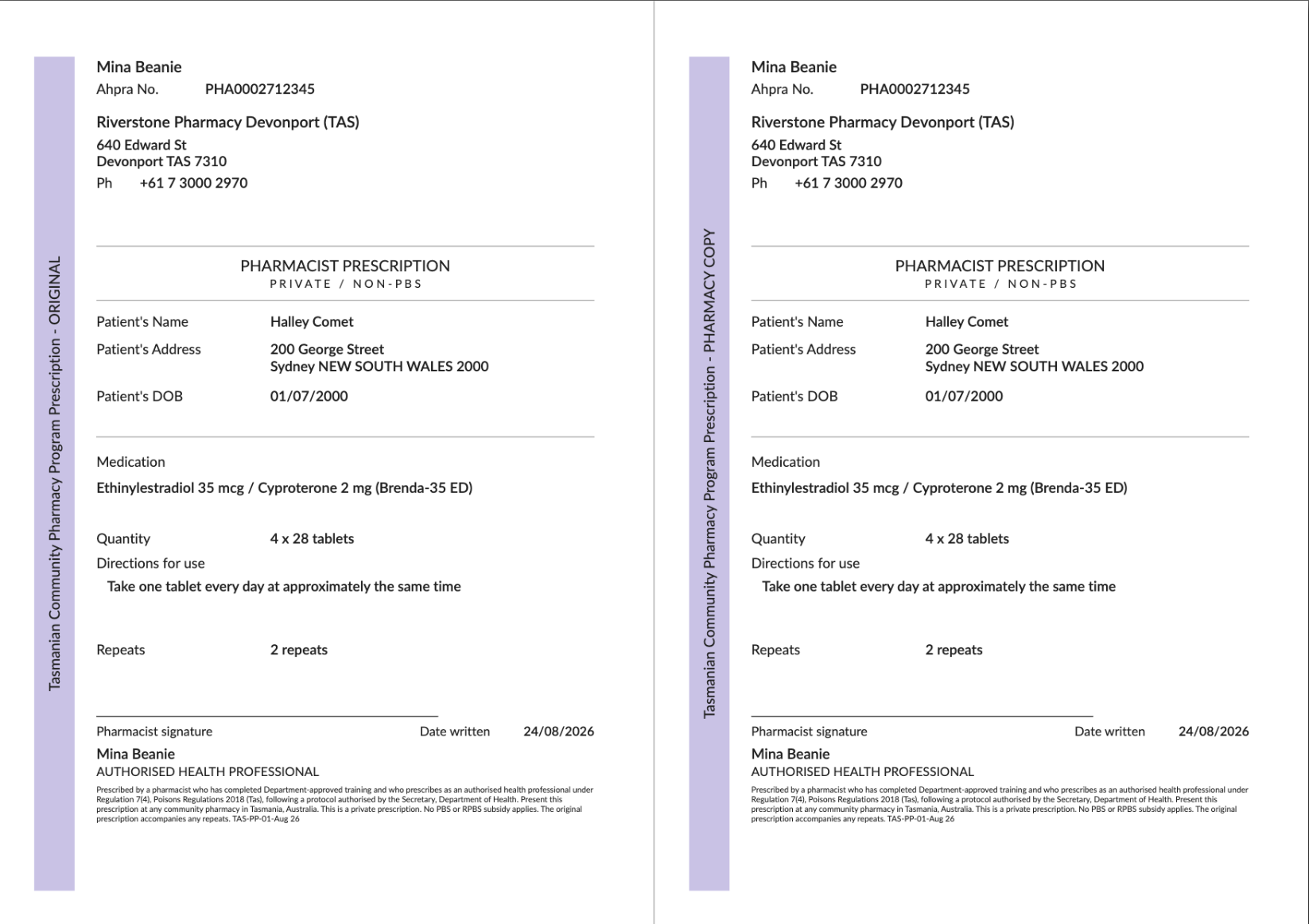
The script prints as an original and a pharmacy copy. - Complete the consult
Complete the encounter to save the record. You can then print or email:
- Patient Summary
- Paper Prescription – Tasmania
- GP Referral – where you've recorded a referral
The Paper Prescription is a computer-generated paper script. Print it, sign it, and give the original to the patient – and make sure it meets the prescribing requirements that apply to you, including signing it in wet ink where that's required. Electronic prescribing will be supported once Light achieves ePrescribing conformance with the Australian Digital Health Agency (ADHA).
Authorities, practice standards, and protocols can change at any time, without warning or notice to software vendors. The content in Light may not reflect the most recent version at the time you use it. Always confirm against the current published source before you rely on it.