Recording a hormonal contraception prescribing consultation
How to prescribe hormonal contraception in the Hormonal Contraception Prescribing consult, and produce the paper script.
Use the Hormonal Contraception Prescribing consult to prescribe hormonal contraception – an initiation, a continuation, or a change of therapy.
The consult is available in QLD, TAS and the NT, and guides you through the information required for the selected medicine and jurisdiction. It doesn't assess the patient or decide what to prescribe, and everything it suggests can be edited.
Prescribing currently produces a computer-generated paper script. Electronic prescribing will be supported once Light achieves ePrescribing conformance with the Australian Digital Health Agency (ADHA).
The prescribing section of the consult is not currently integrated with electronic prescribing or a drugs database.
- Start the consult
Create a Hormonal Contraception Prescribing consult for the patient – from Services, from the customer's record, or from their booking.
Record the consulting pharmacist, the service date and time, and the patient's consent.
Two things need to be in place before a script can be produced: your prescriber identifiers and full name on your profile at Settings›Team, and the patient's date of birth and physical address on their record. Which identifiers apply depends on your jurisdiction.
- Choose how to view the form
Use Form display to switch between a continuous form and a step-by-step form. You can switch between the two at any time.
- Choose how to document it
Use Documentation approach to choose:
- Structured – individual SOAP fields.
- Narrative – a single clinical note.
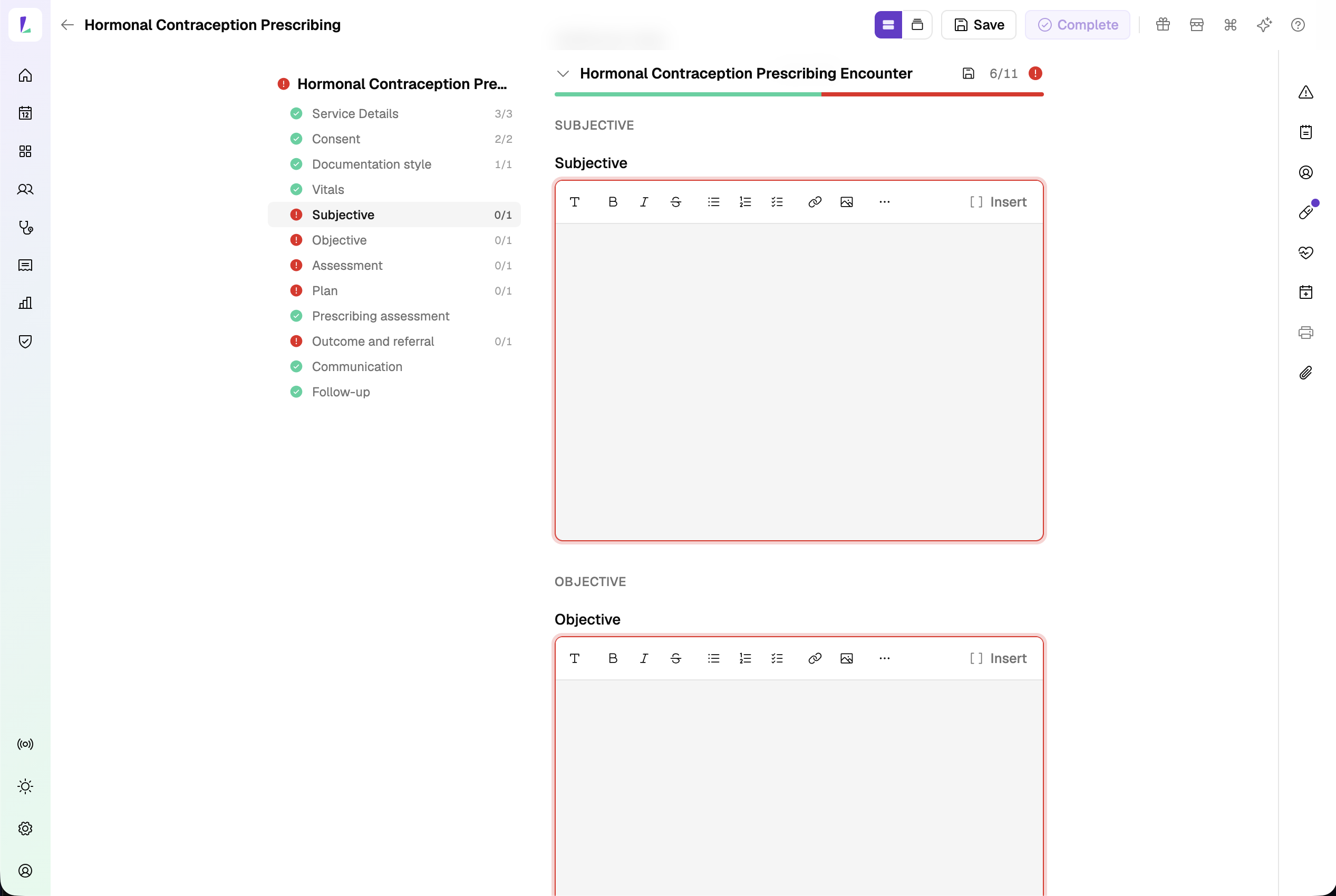
Structured – individual SOAP fields. 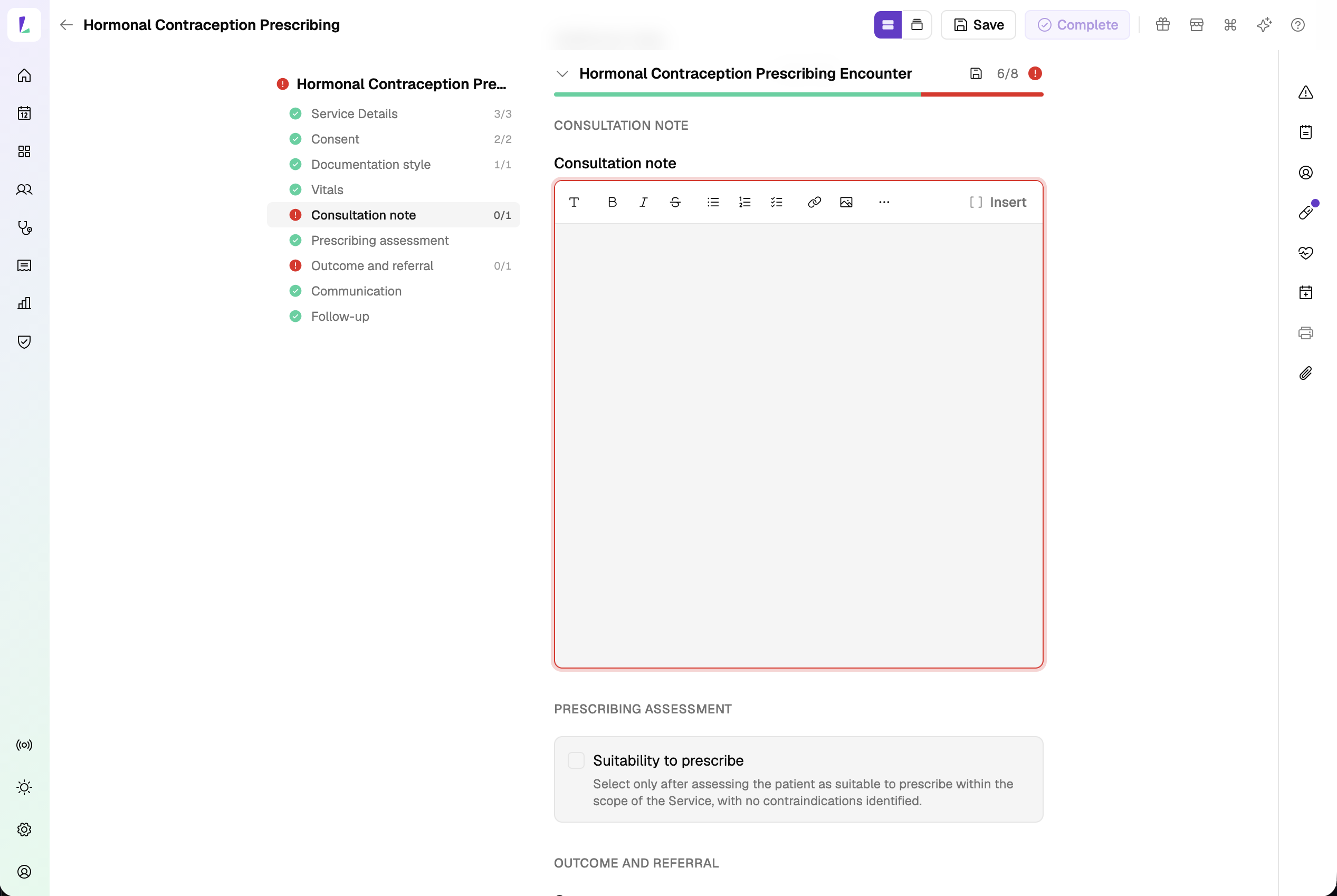
Narrative – a single clinical note. Either way, you can start from a template. Templates drop in headings and
[BRACKETED]placeholders – fill them in or remove them, and press Tab to move from one placeholder to the next.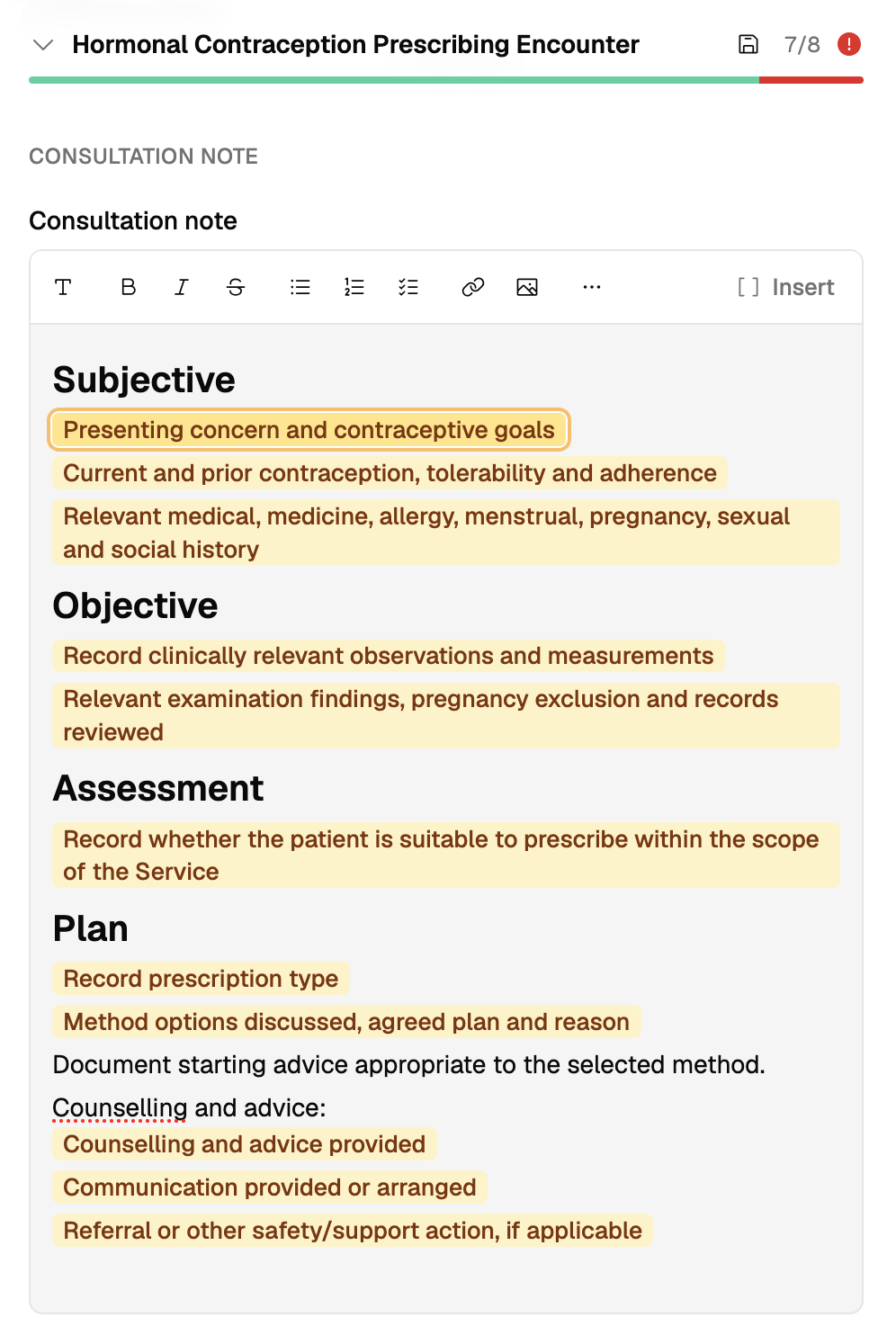
A note started from a template. - Complete the assessment
Work through consent and capacity, then record blood pressure, weight, height and BMI, and any additional vitals using the shared measurement controls.
The prompts shown vary with your jurisdiction – a repeat blood pressure reading, for example.
- Prescribe the medicine
Confirm suitability to prescribe, then record the prescription:
- the consultation type – initiation, continuation, or change of therapy
- the medicine, from the list grouped by method
- the quantity, repeats, and directions for use
The medicine list isn't connected to a drugs database, so it won't hold every product. If what you're prescribing isn't there, choose Not listed and enter the category, name, form, strength and brand yourself.
- Record the outcome and any referral
Record whether the medicine was prescribed, not prescribed because it's outside the scope of the service, or not prescribed because the patient declined.
Where you refer the patient, enter the referral details. The referral is added to the patient's referral list. See Recording a referral.
- Record communication and follow-up
Record what the patient was given and who the record went to – Consumer Medicines Information or other patient resources, the record of the service, sharing with the patient's usual medical practitioner with their consent, and upload to My Health Record. The upload happens through your dispense system.
Where a follow-up is required, the consult suggests a date and notes based on the consultation type. Change them to suit the patient.
- Complete the consult
Complete the encounter to save the record. You can then print or email:
- Patient Summary
- Paper Prescription – once the outcome is Medicine prescribed and the prescription details, identifiers and measurements are recorded
The paper script
The script prints as two copies – the original for the patient and a pharmacy copy – and carries your name and identifiers, the pharmacy's details, the patient's details, the medicine, quantity, directions and repeats, a signature line, and a prescribing statement.
The prescribing statement is included to support the script. It isn't a required or approved form of words – read it and satisfy yourself that it suits how you prescribe.
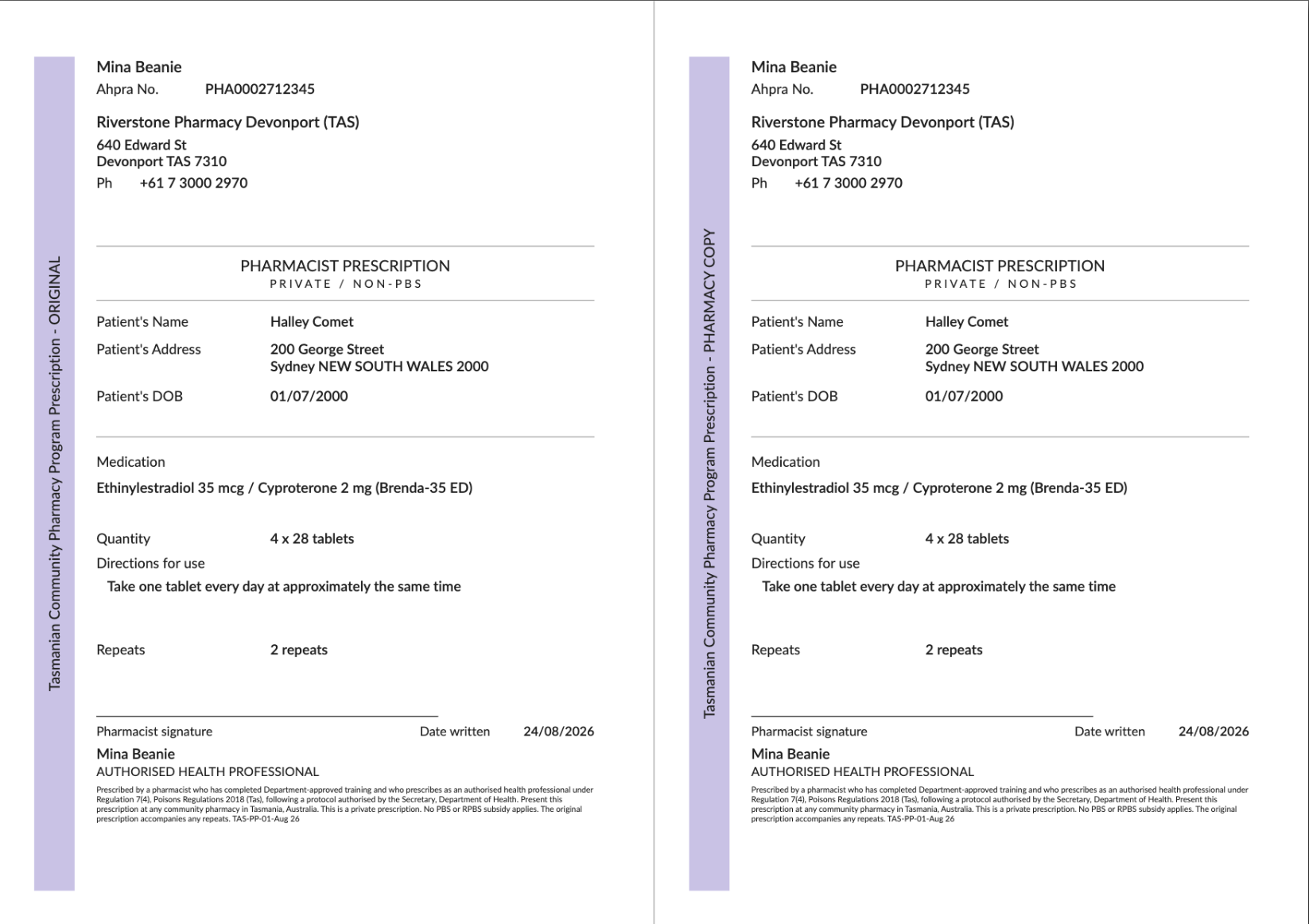
Printing the script doesn't make it valid. Make sure it meets the prescribing requirements that apply to you, including signing it in wet ink where that's required.
Authorities, practice standards, and protocols can change at any time, without warning or notice to software vendors. The content in Light may not reflect the most recent version at the time you use it. Always confirm against the current published source before you rely on it.