Deleting a service
Delete a customer service from the Services list, the Dashboard or the service page.
Delete a service that was created by mistake or is no longer going ahead. Deleting is permanent – the service and its forms can't be restored.
A service with a claim or an AIR submission can't be deleted.
If the service is on a booking and should be a different service, change it instead – see Changing a service.
Delete a service
- Choose Delete
On the Services list or the Dashboard, open the service's row menu and choose Delete.
Or, on the service page, select the bin icon in the top-right action bar.
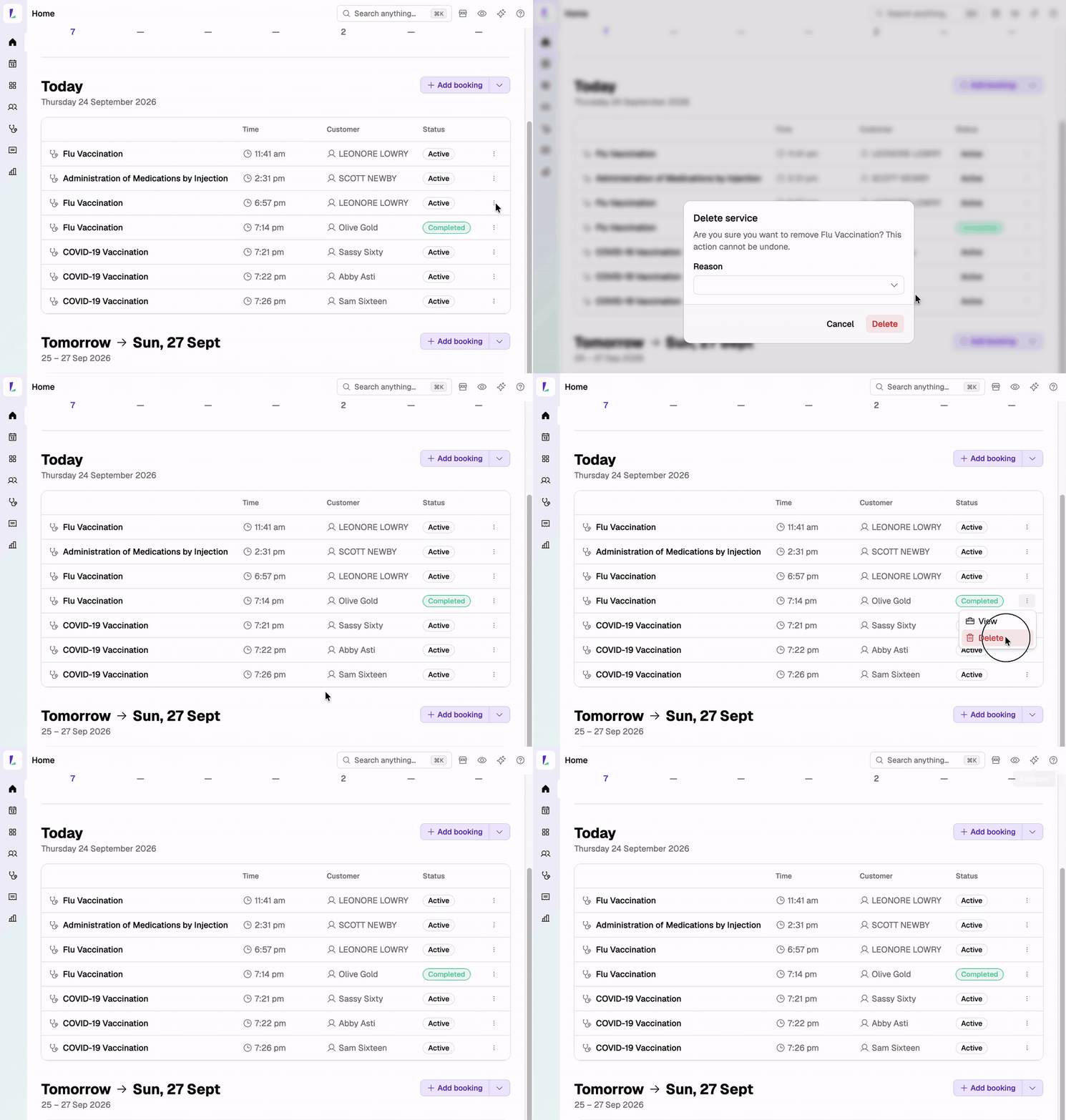
Deleting a service from the Dashboard. - Pick a reason
In the Delete service dialog, select a Reason:
- Service no longer offered
- Resource unavailable
- Created in error / duplicate
- Testing
- Other (free text)
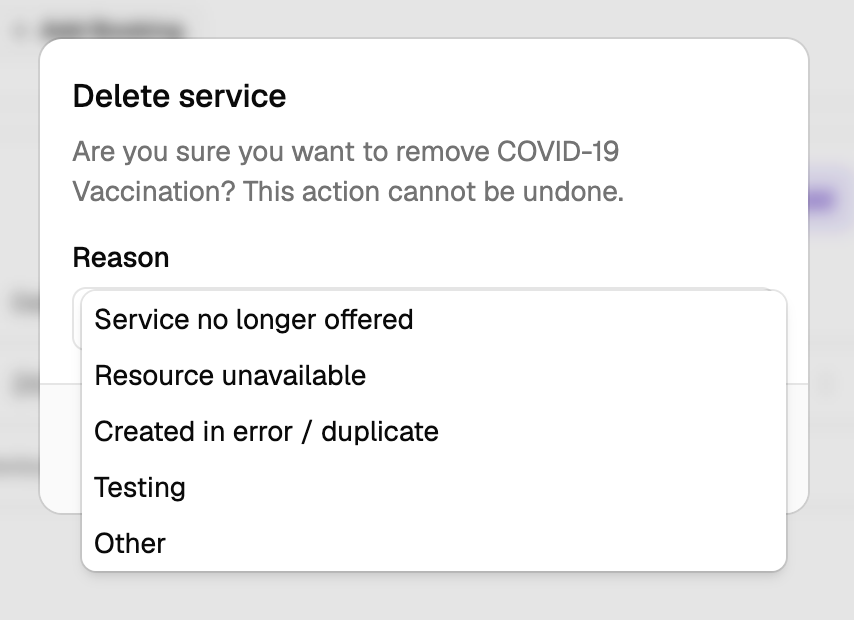
Pick a reason before you delete. - Confirm
Select Delete.
If the service used a voucher code, the code is released and can be used again.
If you deleted from the service page, Light returns you to the Services list.
If it's the only service on its booking
A booking can't be left without a service, so the booking has to be deleted as well. The Delete service and booking dialog opens instead. Pick a reason and select Delete service and booking to delete both.
To keep the booking, add another service to it first – see Managing services on a booking.
When a service can't be deleted
If a service can't be deleted, the dialog says why and offers only Close. A service can't be deleted when:
- it has a claim or an AIR submission – contact Support if it still needs to be deleted
- it's on a cancelled or held booking
- it's a completed service on a booking
Last updated 24 September 2026