Minor Skin Conditions consults, and referrals.
Record a Minor Skin Conditions (NSW) consultation, create patient referrals, and read the reworked encounter tools at a glance.
Early release. These features are rolling out to sites progressively, so they may not be available in your pharmacy yet. To find out more or request access, speak to your Head Office.
Minor Skin Conditions (NSW)
Eczema (atopic dermatitis), impetigo, psoriasis (mild plaque), and shingles (herpes zoster). Select the condition being assessed and the consult is built around it – eligibility, red flags, presentation, history and examination, diagnosis, treatment, and counselling.
- Open the warning signs or referral criteria next to the question you're answering.
- Medication options for the condition, drawn from the practice standards and the Therapeutic Guidelines.
- The Reference panel follows the condition, with its sources and last-updated date.
- The Clinical Note populates from your selections as a SOAP note, ready for you to edit.
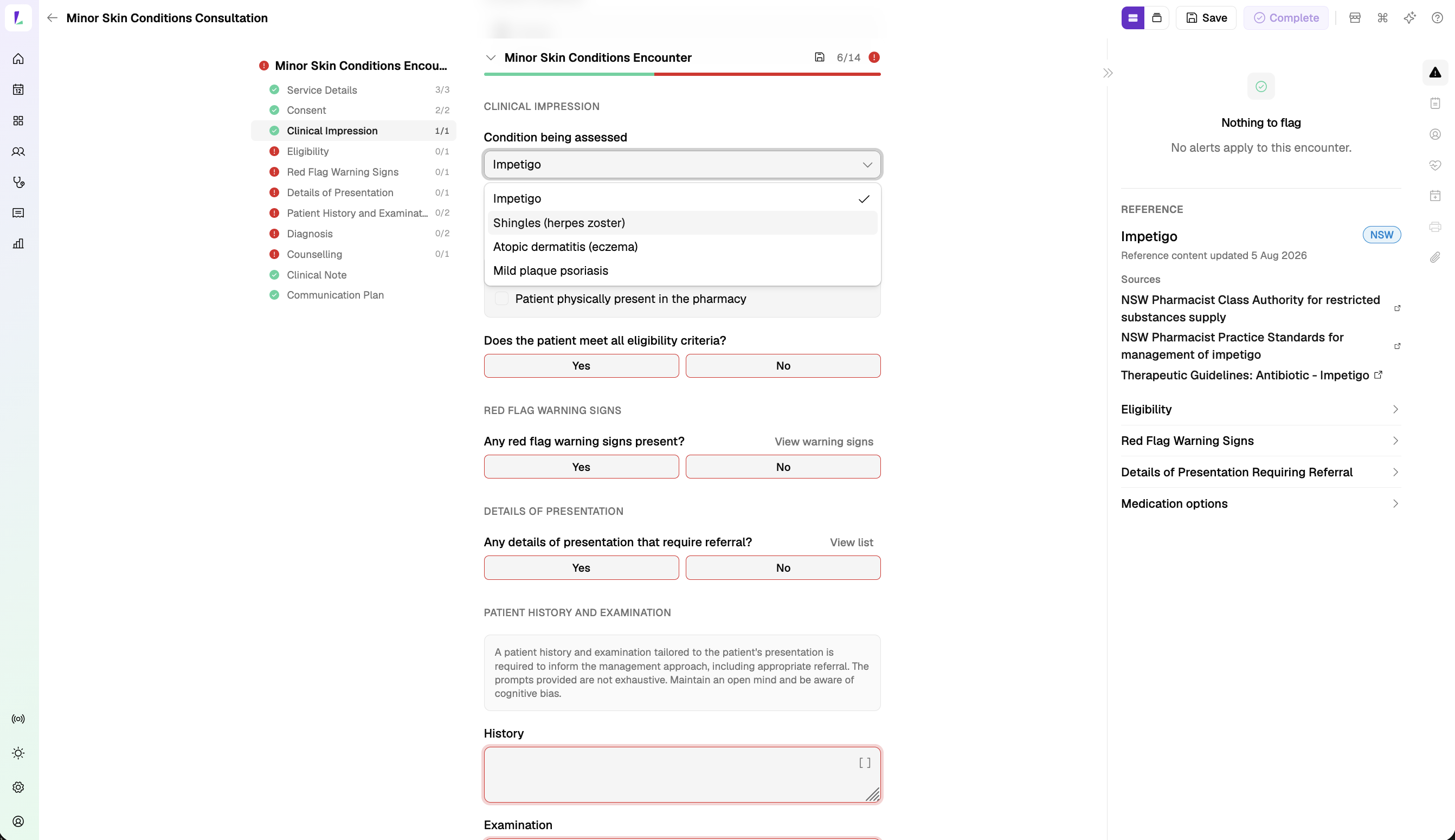
Learn how to complete a Minor Skin Conditions consult.
Bright idea
Step-by-step or continuous. On the Minor Skin Conditions consult, work through the form one section at a time, or as a single continuous scroll – switch with the Form display control in the encounter header.

Referrals
Create a referral to an outside provider, or record one a provider has made to you, and keep it on the patient's record. Referrals sit on the patient, on the service so you can capture one during an encounter, and on each professional contact.
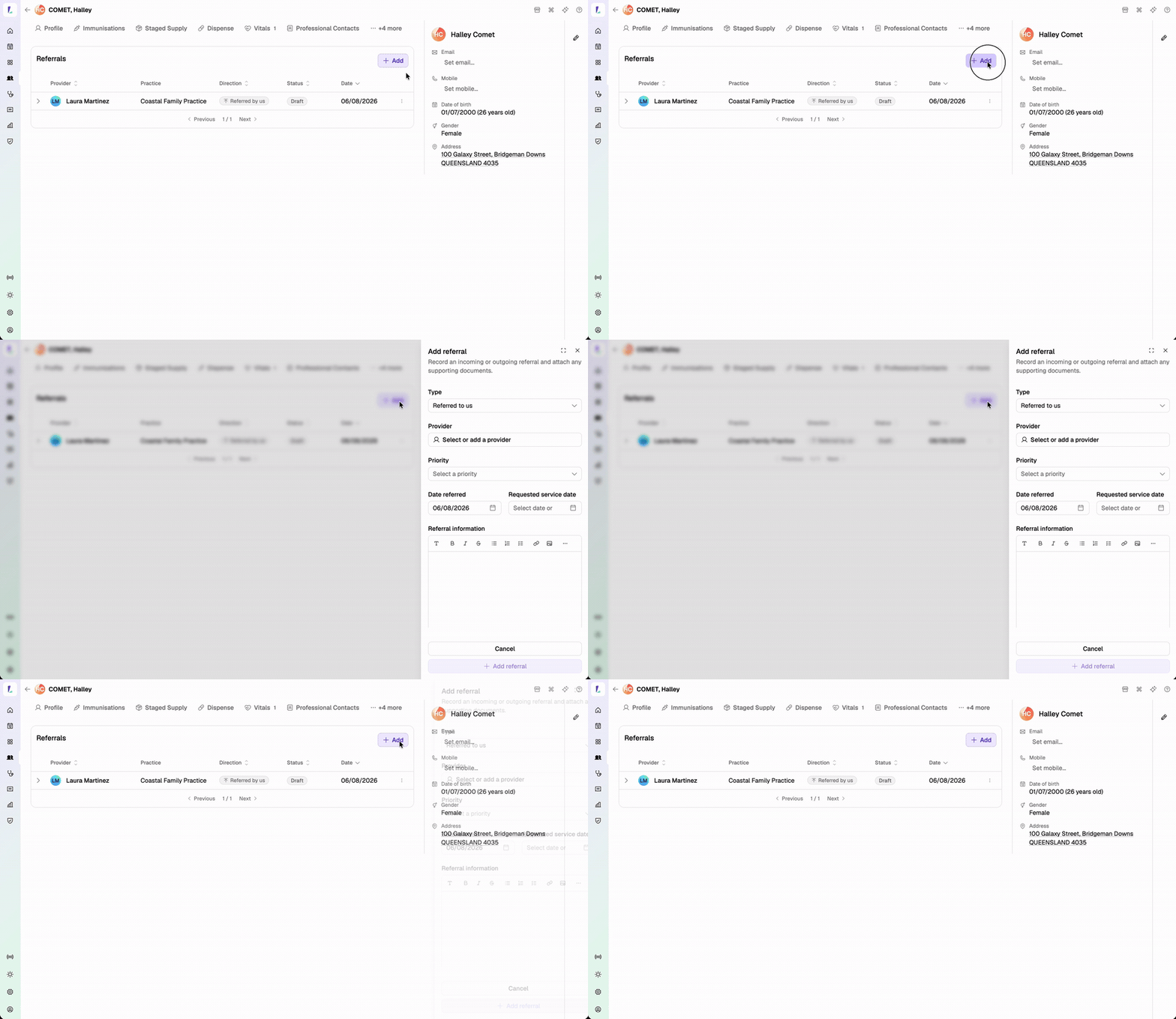
Learn how to record a referral.
Encounter tools, right-hand side
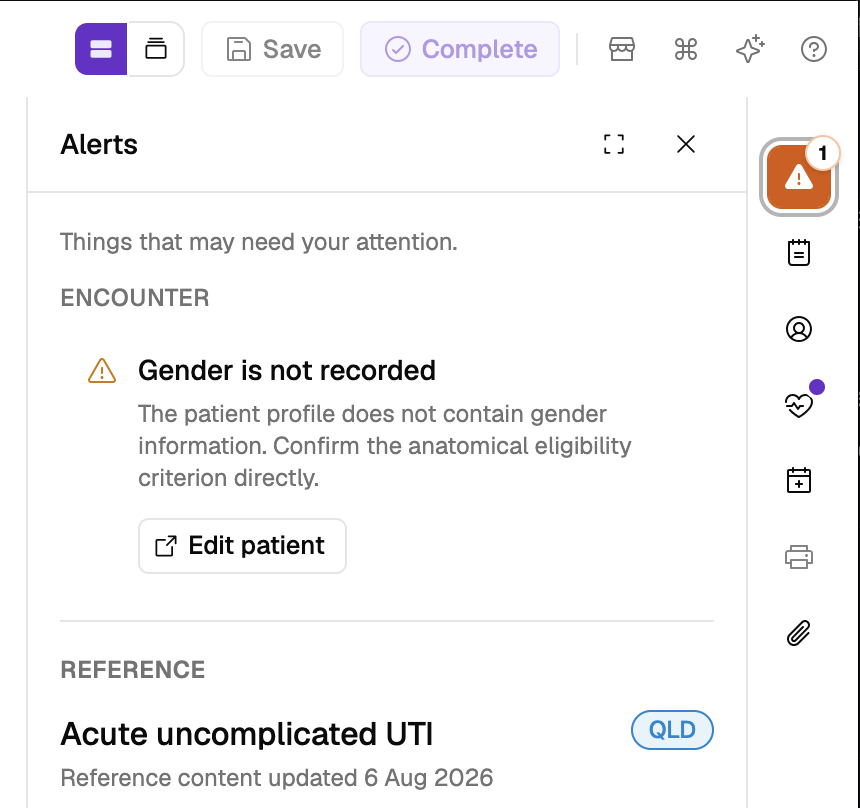
Clinical Alerts stand out more. A dot next to the other tools – vitals, notes, dispense history – means there's content to look at.
Also improved
- UTI consult (QLD): medicine options follow the Therapeutic Guidelines first-line recommendations.
- The Vaccine Detail report now includes voucher and claims data.
- The time of vaccination appears on the immunisation statement.
- Professional contacts: with Minfos connected, search your dispense system for a prescriber to prefill a new contact.
- Booking email presentation is improved in Gmail.