Service Encounter report
See how many encounters your pharmacy has recorded for each non-vaccination service, and open a filtered list to work through them.
The Service Encounter report shows how many encounters your pharmacy has recorded for each non-vaccination service over a period – Absence from Work Certificates, Health Checks, Vitals Recording, and more – so you can see your volumes at a glance.
For vaccination activity, use the Vaccine Count report instead.
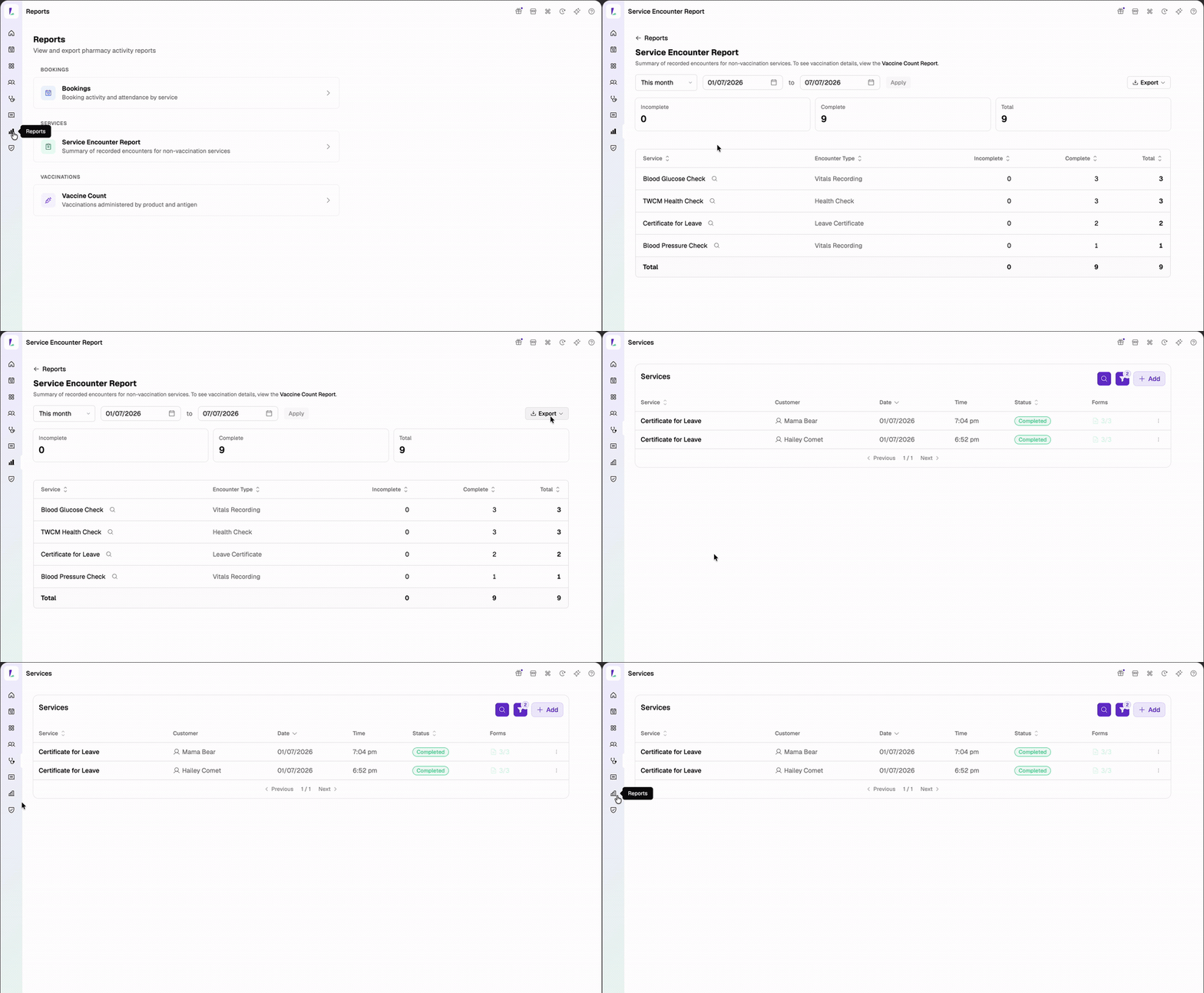
What the report shows
Three totals sit at the top – Incomplete, Complete, and Total – followed by a table with one row per service and encounter type:
- Service – the service the encounter was recorded against.
- Encounter Type – Leave Certificate (Absence from Work Certificates), Health Check, or Vitals Recording.
- Incomplete, Complete, and Total counts.
Both completed and incomplete encounters are counted, so you can see what's still outstanding. Tap any column heading to sort; the table sorts by Total by default.
Vaccinations aren't included – they're recorded as vaccination encounters and reported in the Vaccine Count report.
Opening the encounters for a service
Tap the search icon beside a service to open a filtered list of that service's encounters for the selected date range. From there you can open any encounter, including incomplete ones, and complete what's outstanding.
The filtered list can also include bookings and services that don't have an encounter recorded yet, so it may show more than the counts on the report.
Changing the date range
Use the date controls at the top – This week, Last week, This month, Last month, or Custom range. The report defaults to This month. See Viewing reports for the shared controls.
Exporting
Tap Export for a CSV (one row per service and encounter type) or a PDF (ready to print or email). Exports reflect the current date range.