Absence from Work Certificates
Complete a Leave Assessment and issue an absence-from-work certificate for a customer's personal or carer's leave.
A pharmacy service for customers who need evidence of personal or carer's leave – complete a Leave Assessment and issue an absence-from-work certificate for them to give their employer.
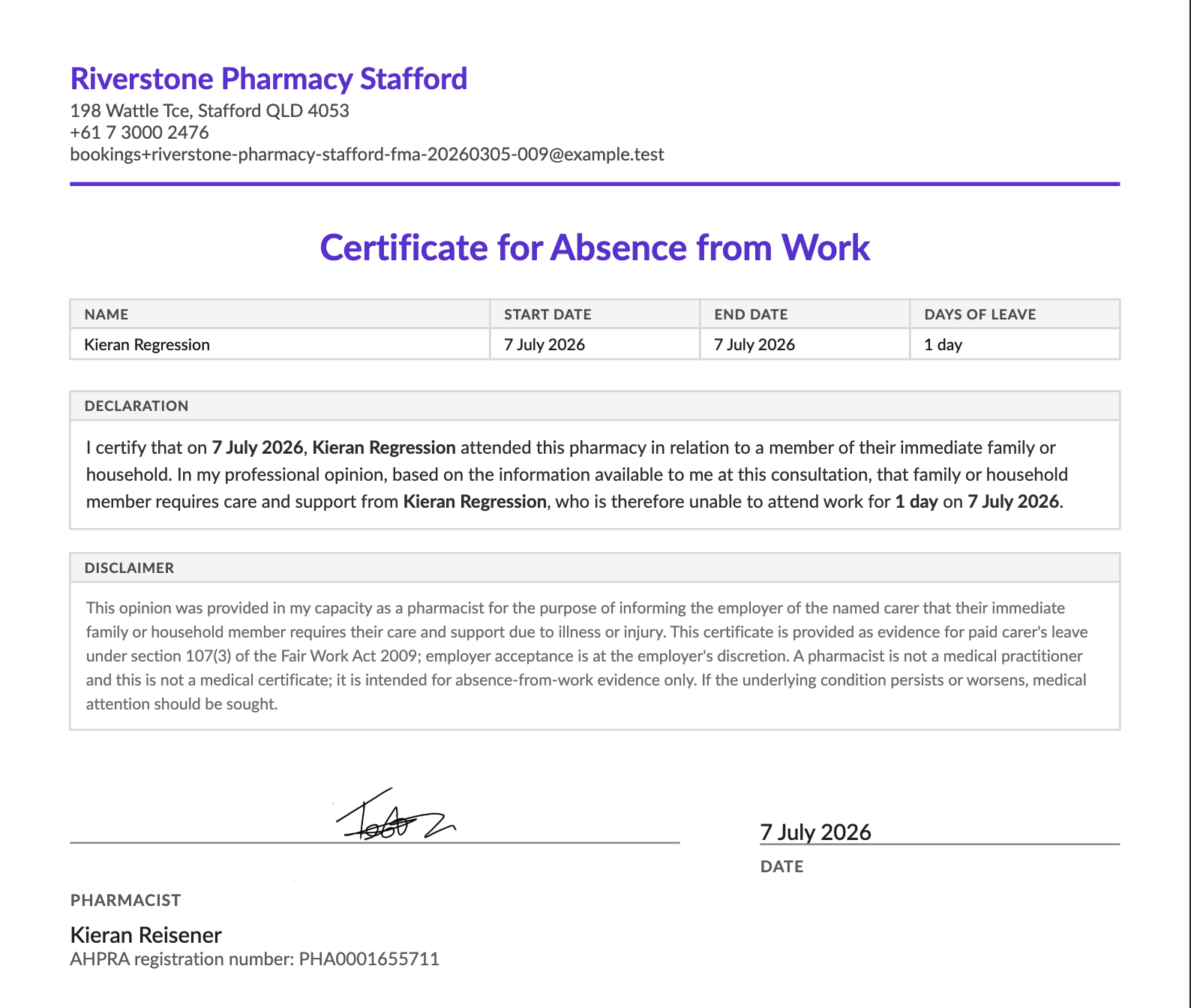
About the Leave Assessment
The Leave Assessment is a service you offer customers who need personal leave or carer's leave. Once it's complete, you issue an absence-from-work certificate for a single day or a date range that the customer can give their employer.
It captures the customer's informed consent and the pharmacist's declaration, giving you a documented, defensible record that supports your professional and privacy obligations each time a certificate is issued.
If you backdate a certificate, Light flags it and prompts you to record the reason in the encounter notes, so the record stays complete and transparent.
A note on privacy. Light's Absence from Work Certificates differ from the template in the PSA's Guidelines for pharmacists on issuing certificates for absence from work (2018). To protect customer privacy, they do not include the customer's address, or – for carer's leave – the name of the person being cared for.
This reflects a data-minimisation approach. The Office of the Australian Information Commissioner (OAIC) holds that health information should only be collected, used, or disclosed where it is reasonably necessary.
How to issue a certificate
- Start a Leave Assessment
The service is called Absence from Work Certificates. Start it in one of these ways:
- From a customer's profile, tap Add Service and select Absence from Work Certificates.
- From the Services menu, tap Add Service, then add the customer.
- From a booking (booked online or a walk-in), open it and tap Record Encounter to begin.
- Confirm informed consent
Check the Leave Assessment Consent form is complete. A customer who booked online may have completed it during booking. If not, complete it with the customer or resend the prescreener for them to fill in.
- Complete the assessment
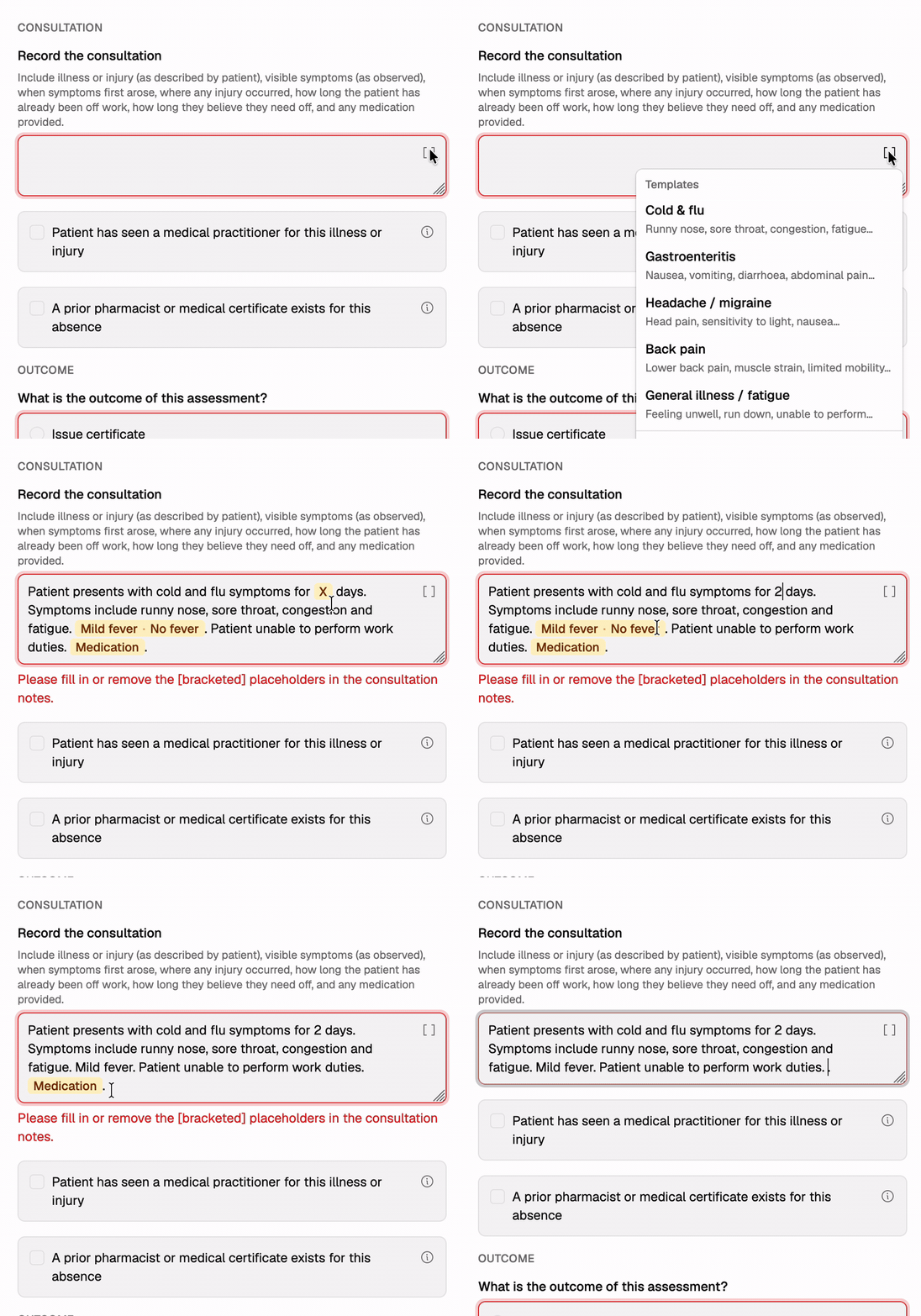
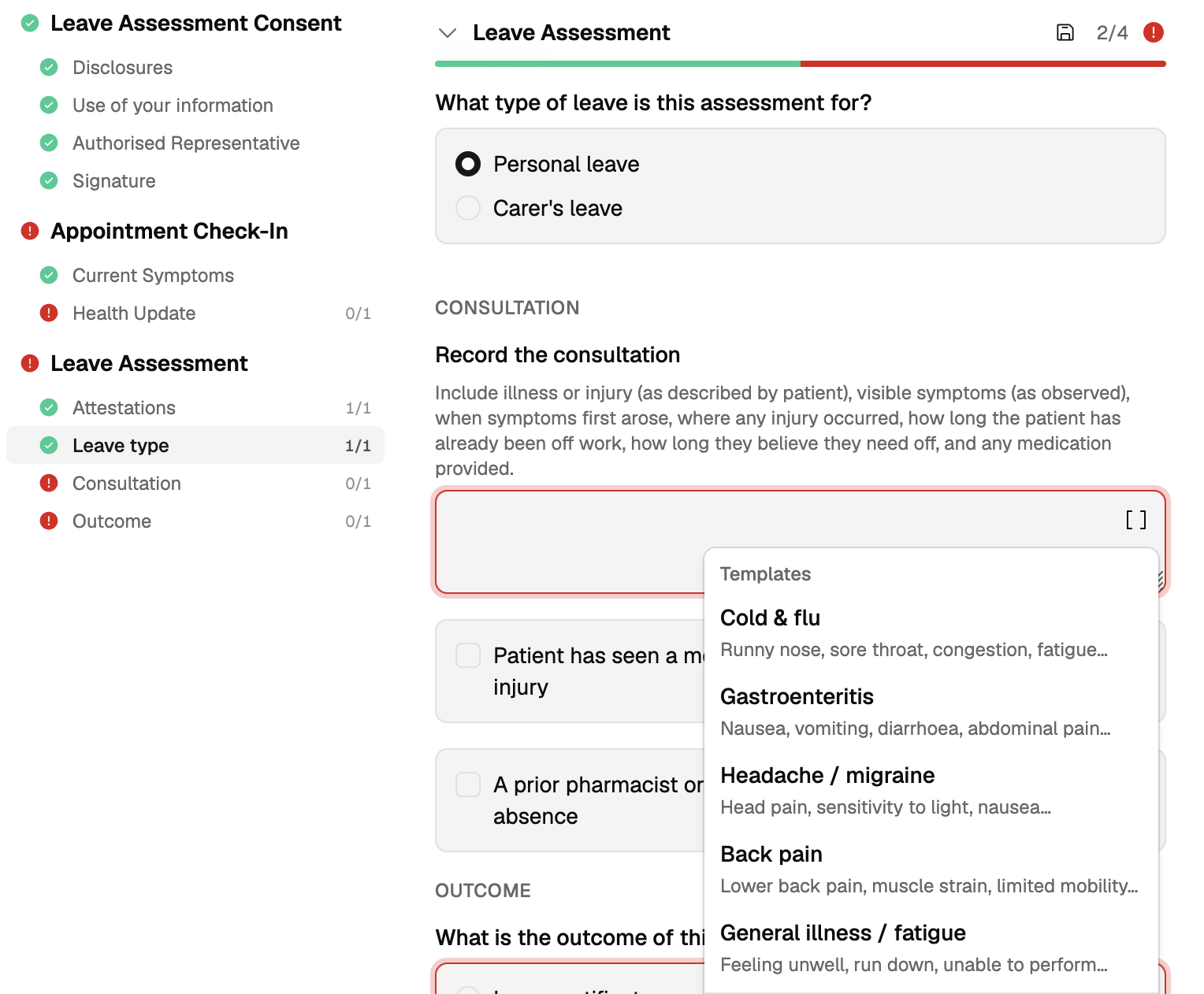
Work through the attestations, leave type (personal or carer's), the consultation record, outcome, and period of leave. In the consultation, you can choose a template for a common presentation as a starting point to fill in the details.
- Print the certificate
When you complete the assessment, you can print the certificate from either place:
- Within the encounter – click the print icon.
- Service overview – open the three-dot menu next to the Leave Assessment on the service page and choose Print certificate.
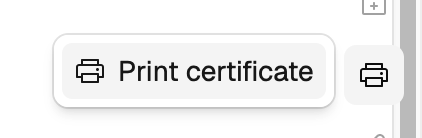
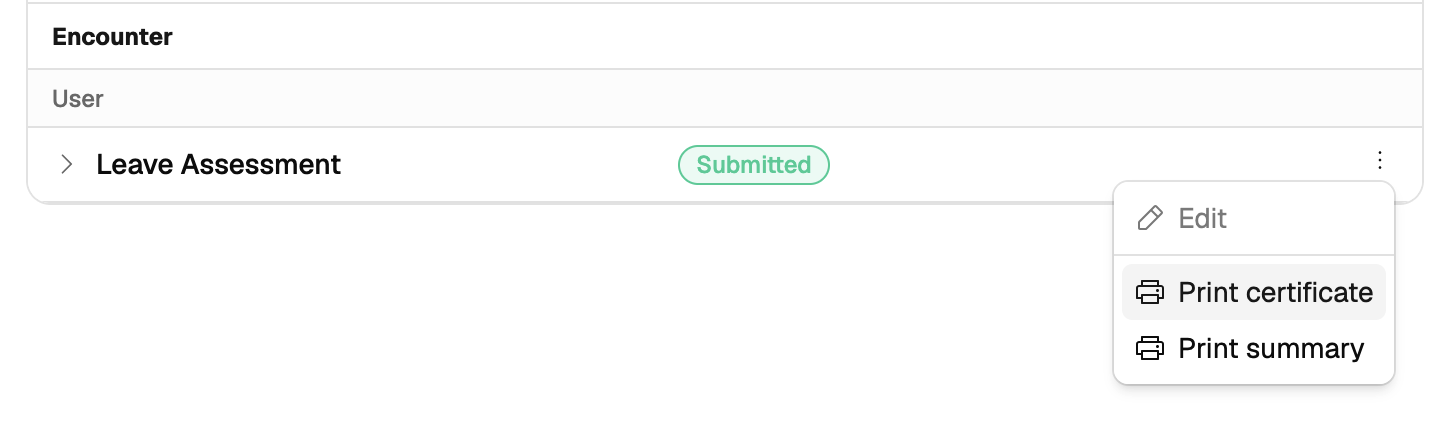
Both open the Print options dialog. Leave Include signature on to stamp your saved signature, or turn it off to sign by hand, then choose Print. The certificate saves to your Downloads folder, can be opened in your browser, and can be reprinted at any time.
Time-saver
Consultation templates. Templates for common conditions are available to select – choose the brackets icon in the top-right corner of the text box, then edit the specifics of the template text. Templates cover cold & flu, gastroenteritis, headache / migraine, back pain, and general illness.
These consultation notes won't appear on the final Absence from Work Certificate handed to the customer.
Bright idea
Add your digital signature to Light once and it applies to every certificate you print – no wet-ink step at the counter. To set it up, go to Settings›Team, open your user, then Signature, draw or type your signature, and save. See Adding your digital signature.
Useful resources
- PSA – Guidelines for pharmacists on issuing certificates for absence from work (2018) – the Pharmaceutical Society of Australia's guidance on when and how to issue absence-from-work certificates.
- RACGP – Providing patient information to employers – explains that, where required, an employer may seek to confirm a certificate's authenticity with the treating practitioner.
Certificates are issued at the pharmacist's professional discretion. Follow the PSA's Guidelines for pharmacists on issuing certificates for absence from work and your pharmacy's own procedures when deciding whether to issue.