Vaccine Count report
See how many vaccines were given over a period, grouped by antigen and product.
The Vaccine Count report shows how many vaccines were delivered at your site over a given period. Use it for monthly flu tallies, COVID-19 vaccines reconciliation, or to see which products are moving.
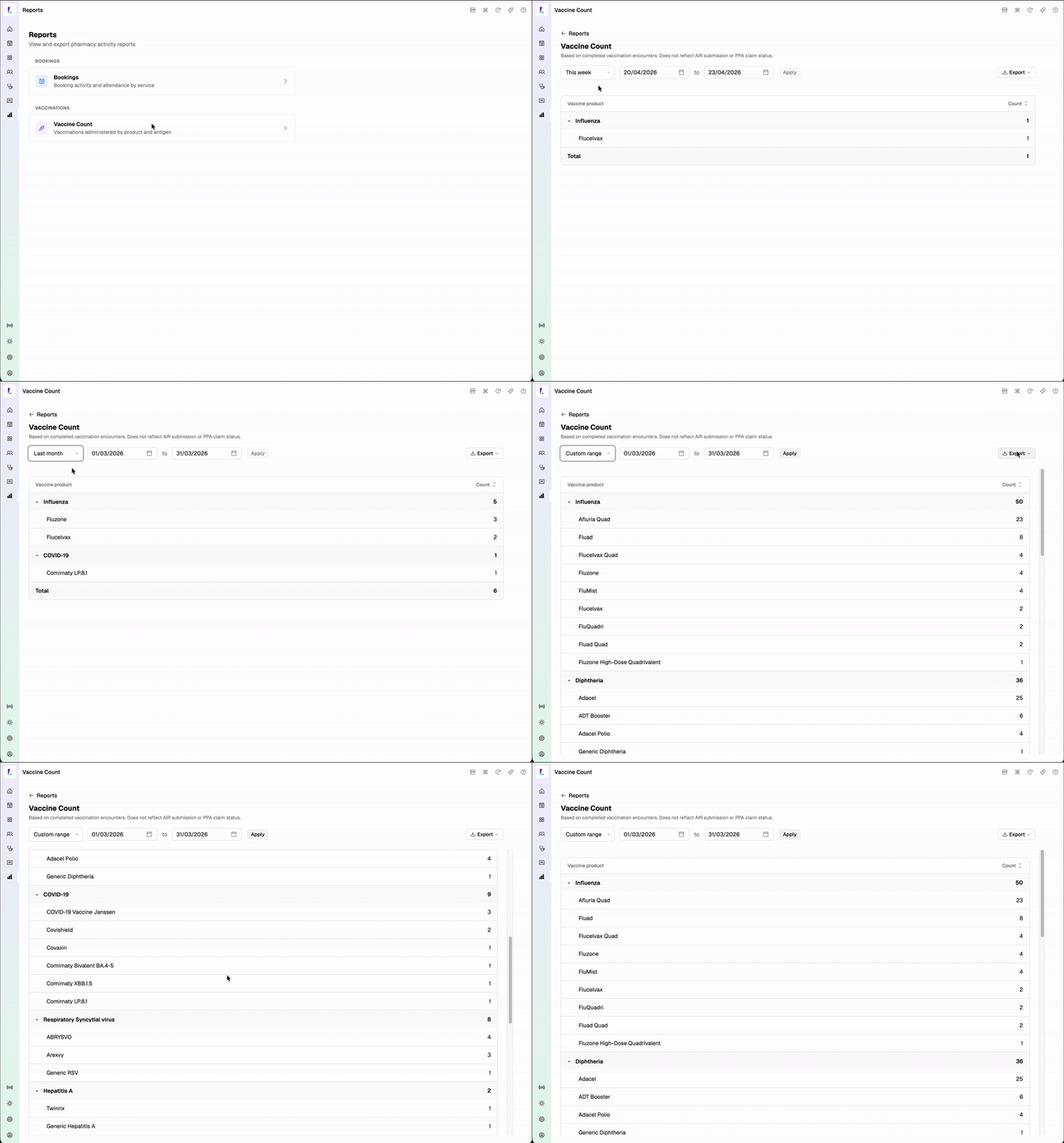
How the numbers are grouped
Results are grouped by antigen (Influenza, COVID-19, Pneumococcal, and so on), with each product listed beneath its antigen. Each row shows a count; each antigen also shows a subtotal across its products.
A vaccination is counted once, against the product that was actually administered, on the date the encounter was completed.
Antigens and products with no vaccinations in the selected period aren't shown.
Changing the date range
Use the date controls at the top — This week, Last week, This month, Last month, or Custom range. Switching the range re-runs the report. See Viewing reports for the shared controls.
Exporting
Tap Export for a CSV (one row per product, with the antigen alongside) or a PDF (the grouped view, ready to print or email). Exports reflect the current date range.
This report is based on completed vaccination encounters at your site. It does not reflect AIR submission or PPA claim status — a vaccination appears here as soon as the encounter is completed, even if the AIR submission is still pending or the PPA claim has been rejected.
To reconcile against AIR or PPA, cross-check with the Claims page.
Common uses
- Monthly flu reporting — set the range to Last month and export as PDF for the file
- CVCP reconciliation — compare the COVID-19 antigen subtotal against your CVCP claim count
- Stock review — see which products are actually being used before reordering