Using privacy mode
Hide customer names, phone numbers and email addresses on a screen that patients can see.
Privacy mode hides customer names, phone numbers and email addresses on list and overview screens. Use it on any screen patients can see, like the front counter or the consult room.
It's set per browser, not for the whole store, so you can turn it on at the front counter and leave it off in the dispensary.
Turn on privacy mode
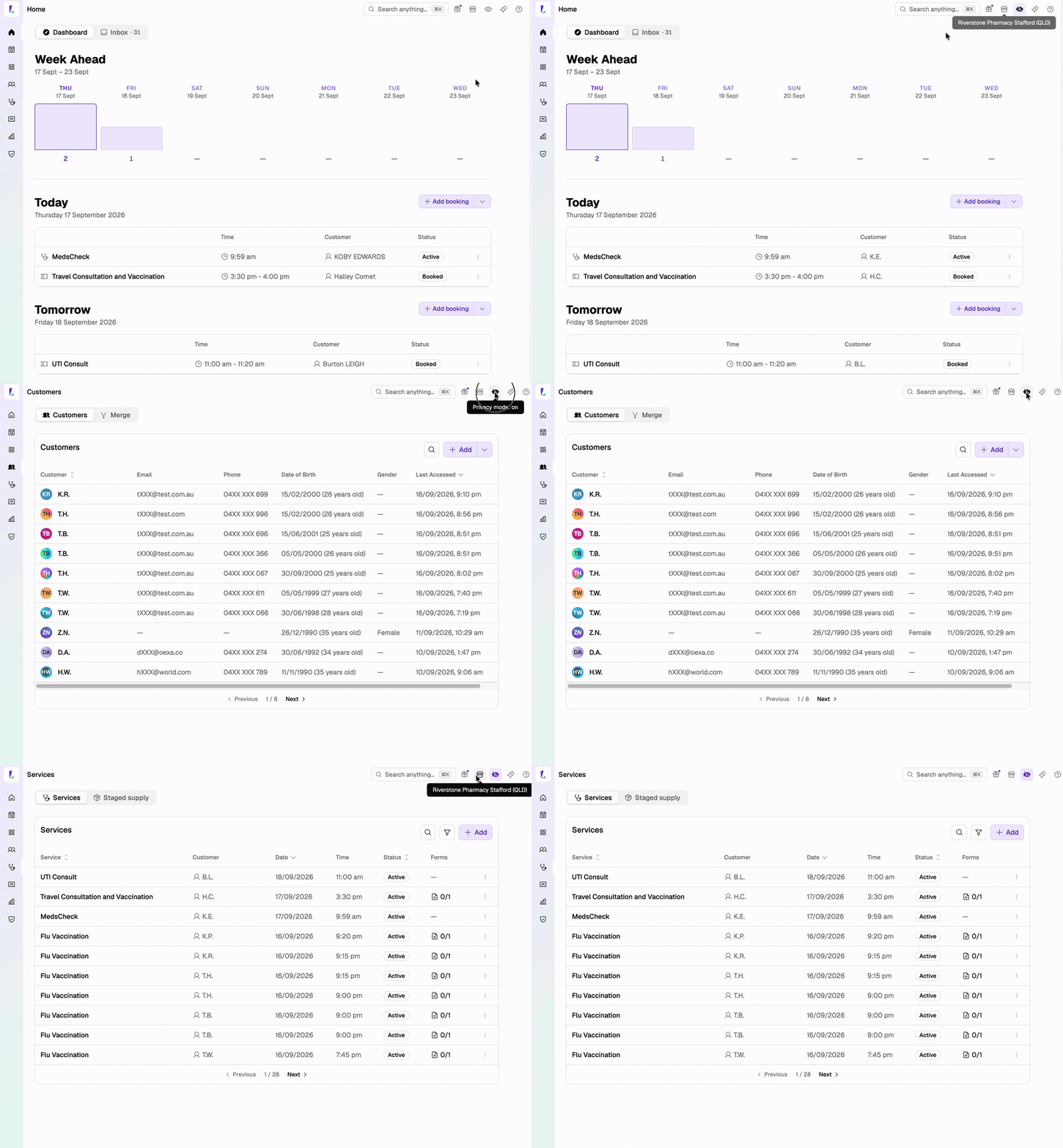
Select the eye icon at the top right of Light. The icon fills in while privacy mode is on.
Select it again to turn it off. Light remembers the setting in that browser until someone changes it.
What it hides
| Detail | Shown as |
|---|---|
| Customer name | Initials – Halley Comet becomes H.C. |
| Phone number | First two and last three digits – 04XX XXX 678 |
| Email address | First letter and the domain – dXXX@oexa.co |
Searching and sorting still use the full details, so you can search for a customer by full name while the list shows initials.
Where it applies
The Dashboard, the Customers list, the calendar, Claims, Orders, staged supply plans, and a customer's Dispense tab.
Where it doesn't apply
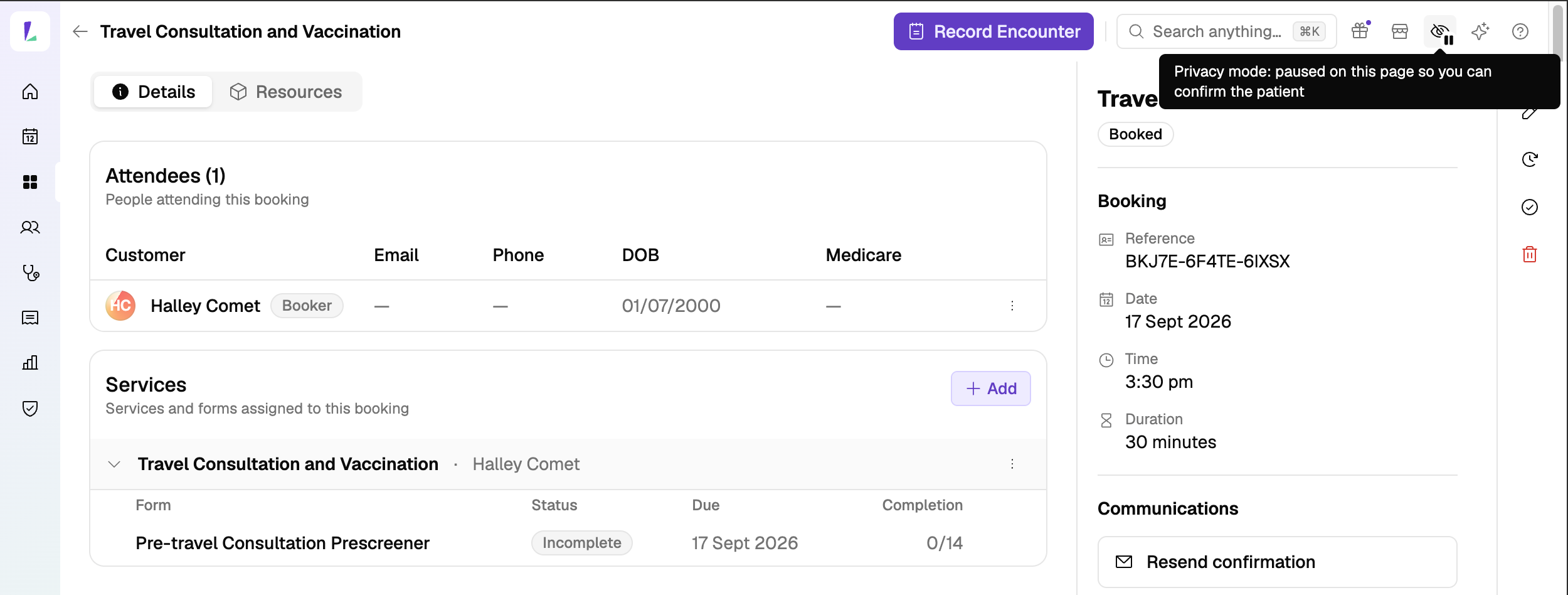
Record pages always show details in full: a customer, booking, service, order, encounter or S3 record. Masking a patient's name on the page where you're recording their care would make it easier to record it against the wrong person. On those pages the icon shows a pause badge.
Privacy mode only changes what's shown on screen. It covers names, phone numbers and email addresses only, so other details stay visible. It doesn't apply to anything you print or email, or to what shows on a kiosk.