Vaccine Detail report
See one row per vaccine administered, with AIR, NIPVIP, CVCP and state-funded claim status, so you can investigate and reconcile the claim errors surfaced on the Claims screen.
The Vaccine Detail report gives you one row per vaccine administered, with the claim status for each – so when a claim error shows up on the Claims screen, you can find the vaccination behind it and work out why.
For volumes rather than detail, use the Vaccine Count report instead.
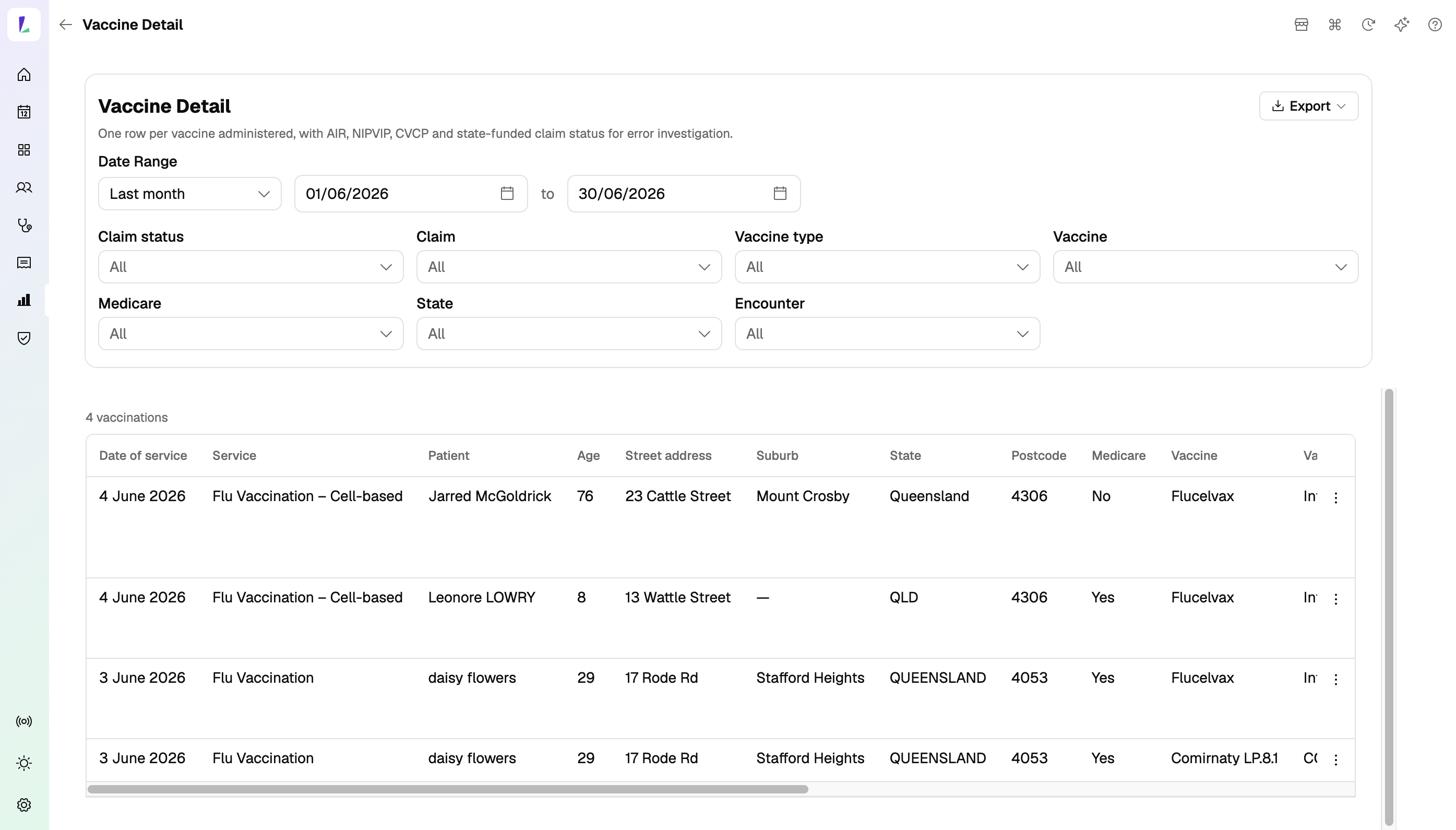
What the report shows
One row per vaccination, covering:
- Date of service, Service, and Encounter status.
- Patient and Age, their Street address, Suburb, State, and Postcode, and whether they have Medicare.
- Vaccine and Vaccine type.
- Claim, Claim status, and Reason – the claim scheme the vaccination went to, where it got to, and the failure reason where there is one.
- Pharmacist – who administered.
The address, postcode, and Medicare columns are there because they're what claims most often fail on. A missing Medicare number or an incomplete address usually explains a rejection on the spot.
Narrowing down an error
Filter the rows to isolate what you're investigating. You can filter by Claim status, Claim, Vaccine type, Vaccine, Medicare, State, and Encounter. The count above the table shows how many rows match out of the total.
To go from a row to the record behind it, open the row's menu and choose View customer or View service.
Changing the date range
Use the date controls at the top. The report defaults to This week. See Viewing reports for the shared controls.
Exporting
Tap Export for a CSV or a PDF. Exports reflect the date range and any filters you've applied, so you can filter to the failures you're chasing and export just those.
Exports contain patient names, addresses, and Medicare status. Handle them as patient information.