Automated PPA claim submission, Queensland Free Flu and NSW Free FluMist setup, and more.
Eligible PPA claims now submit automatically once you've enrolled and signed the agreements. Queensland Free Flu Program setup for claiming and invoicing is now available. NSW Free FluMist Program setup for claiming is now available. More customer details on a patient match. Customer-less booking links go straight to patient registration.
Automated PPA claim submission for enrolled programs
Once you're enrolled in a PPA program and the master automated claims agreement is signed, eligible claims now submit to PPA in the background — no per-claim sign-off needed for the routine ones.
Eligible claims move from Ready to Pending automatically. After a vaccination encounter is finalised, the claim leaves the Ready queue on its own and progresses through to Submitted once PPA accepts it.
Set it up from Settings → Programs. Head to Settings›Programs and complete the master automated claims agreement and the required information, then enrol per program.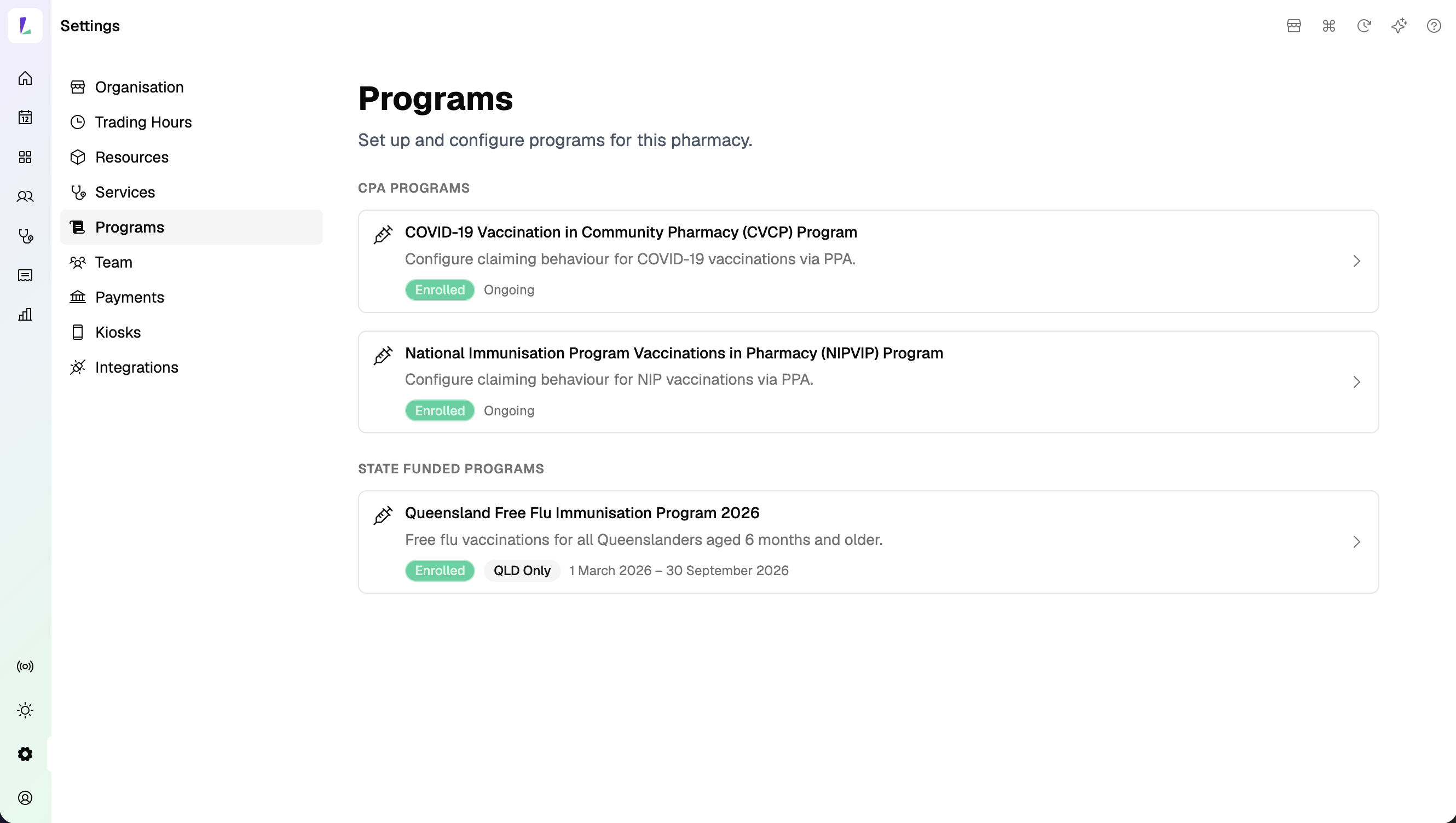
Queensland Free Flu Program setup for claiming and invoicing now available
Free flu vaccinations for all Queenslanders aged 6 months and older are now claimable through Light.
Pilot claims are handled directly with pilot sites. We're working with pilot sites individually for claims from the pilot start date through to the end of April.
Claims from 1 May onwards go in the next batch run on 15 May. We'll let you know if this schedule changes.
Queensland Free Flu claims are processed by Queensland Health. Contact them directly for any questions about a specific claim.
To set this up, head to Settings›Programs — read the agreement and program rules, provide your consent, and complete the required information to enrol into the program.
NSW Free FluMist Program setup for claiming now available
The setup surface for the NSW Free FluMist Program is live. Eligible FluMist encounters are evaluated and reach Ready on the Claims page.
Light reports the total of eligible FluMist claims sitting as Ready to Pharmacy Brands Australia (PBA). For any questions, contact the Light Support Team.
To set this up, head to Settings›Programs — read the agreement and program rules, provide your consent, and complete the required information to enrol into the program.
Expect more interface changes around programs and claiming as we have feedback from pilot sites to continue to improve on.
Improvements
More customer details shown when a patient match is found. The customer match panel on the Create / Update Customer sheet now surfaces additional details — address, contact, and source (Light or AIR) — before you accept the match. Easier to confirm you have the right person, especially when names are common or a patient has booked under slightly different details before.
Customer-less booking links now go straight to patient registration. The QR code and booking link for a customer-less booking now take the patient to a registration form to fill in their own details. After submitting, they continue through any required forms and finish on the confirmation screen — the customer record is attached to the booking automatically. The QR code and booking link panel doesn't yet appear automatically when you create the booking — you still need to open the booking to grab the link. We're shipping the inline panel later this week.
Bug fixes
AIR claims are only marked Submitted when the AIR response is genuinely accepted. Warnings (AIR-W-*) and errors (AIR-E-*) now correctly mark the claim Rejected even if a claim id was returned, so partially-pended encounters surface for follow-up instead of being silently treated as accepted.
Vaccine Count report counts vaccinations by date of service. Previously, a vaccination recorded just after midnight in the site's timezone could be attributed to the wrong day. The report now uses the encounter's recorded service date so totals land on the right day.
Customer name handling is more consistent across booking and check-in flows. Every booking — including online bookings created without a customer — now gets a booking reference, so check-in flows that look up by reference resolve consistently.
Dashboard week-ahead totals are now correct. The next-7-days view tallies bookings and walk-in services accurately, including the cases that previously slipped through the count.