Skipped is now Ineligible, Remove claims, pin immuniser, search at the speed of Light, and more.
New Ineligible and Removed claim statuses. Pin the immuniser between encounters. Find patients across your records and the Australian Immunisation Register. Universal search with ⌘K. Start a service without a booking. Kiosk improvements.
Claims updates
Skipped is now Ineligible. The Skipped claim status has been renamed to Ineligible to better reflect what it means — Light evaluated the claim and decided it didn't meet the program's eligibility criteria. The label is updated everywhere it appears: status cards, filters, badges, and tooltips.
Removed is a new claim status. You can now remove a prepared claim that's no longer valid — pick a reason (Duplicate, Invalid, Customer request, or Other with details) and the claim moves to Removed. Removed claims are terminal — they won't be submitted and re-evaluation won't bring them back. Removal isn't available once a claim has been Accepted or Submitted to the funder. For those, follow the funder's amendment process.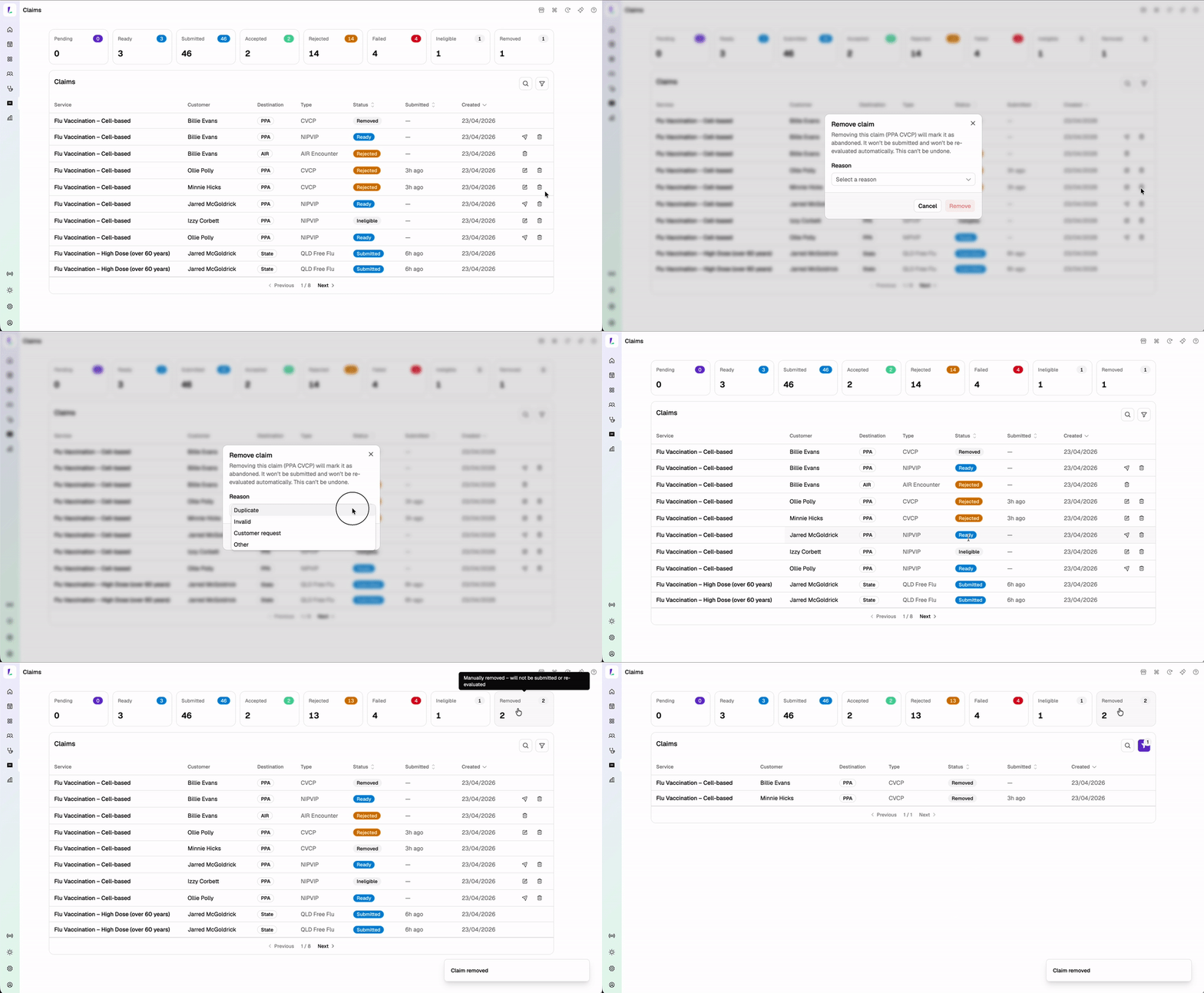
Pin your immuniser. You can now pin the immuniser field on the vaccination encounter so it carries through to each new encounter automatically. Ideal for busy flu clinic days when the same immuniser records back-to-back. Tap the pin again to clear it.
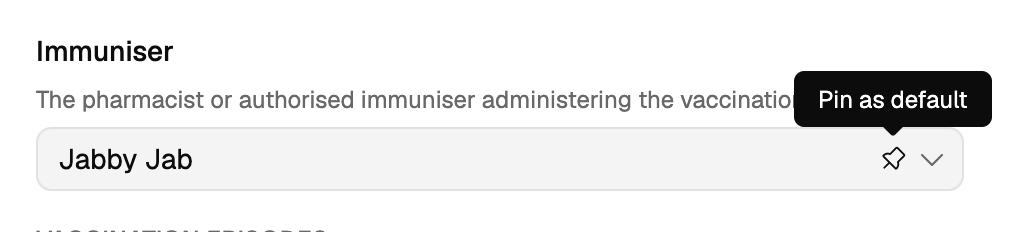
Shoutout to TerryWhite Chemmart Carina Day and Night, QLD for this one.
Find patients across your records and the Australian Immunisation Register
When you're adding a booking or starting a service, customer search now returns matches from both your existing customer records and the Australian Immunisation Register. Reduces duplicate records and saves time for returning patients who already have an AIR profile but haven't been seen at your pharmacy before.
AIR results only appear for sites with AIR enabled. Dispense records will be added as a search source in a future release.
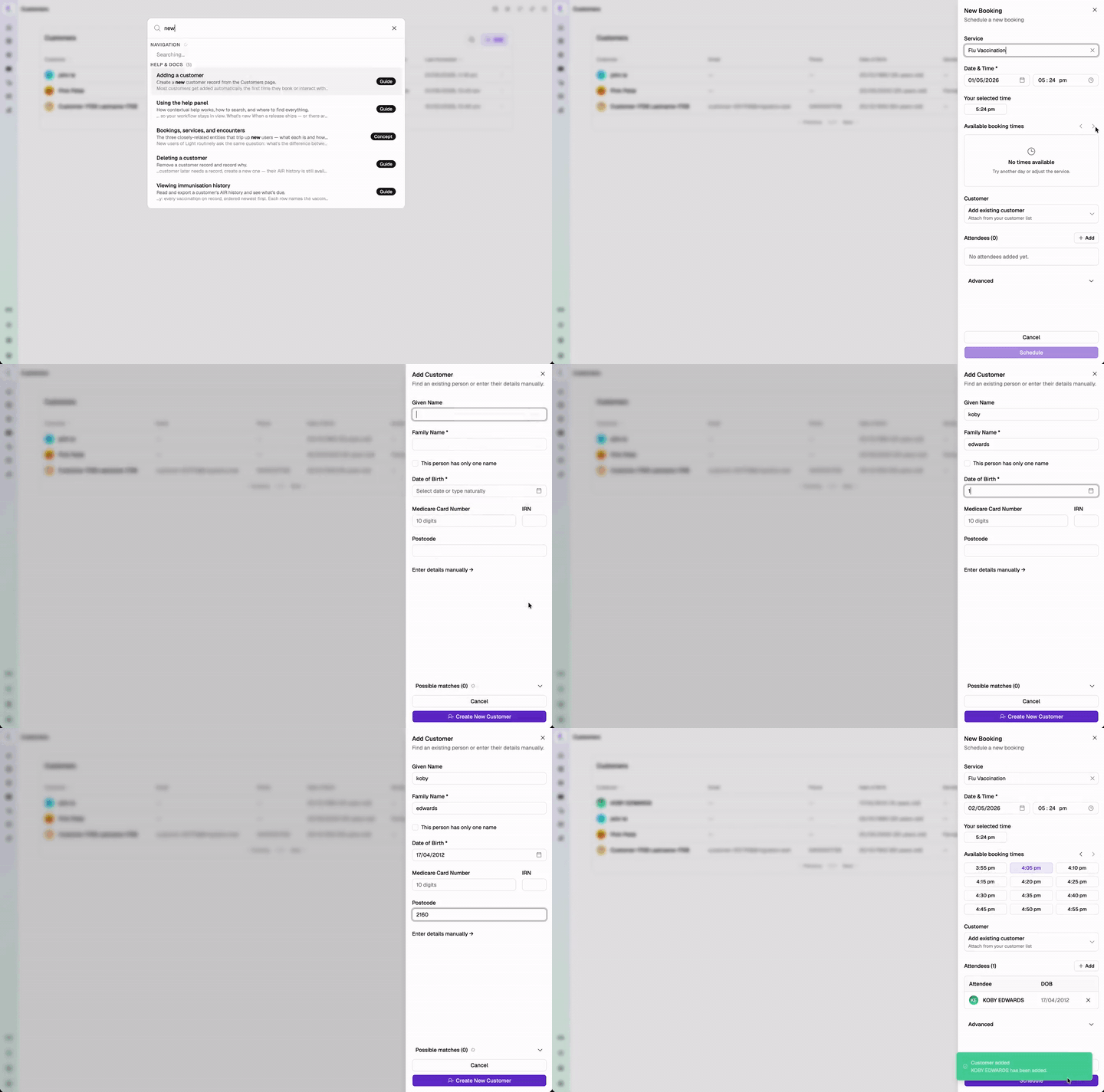
Search at the speed of Light
Press ⌘+K (or Ctrl+K on Windows) anywhere in Light to open universal search — find patients, bookings, services, and help content from a single bar without leaving what you're doing.
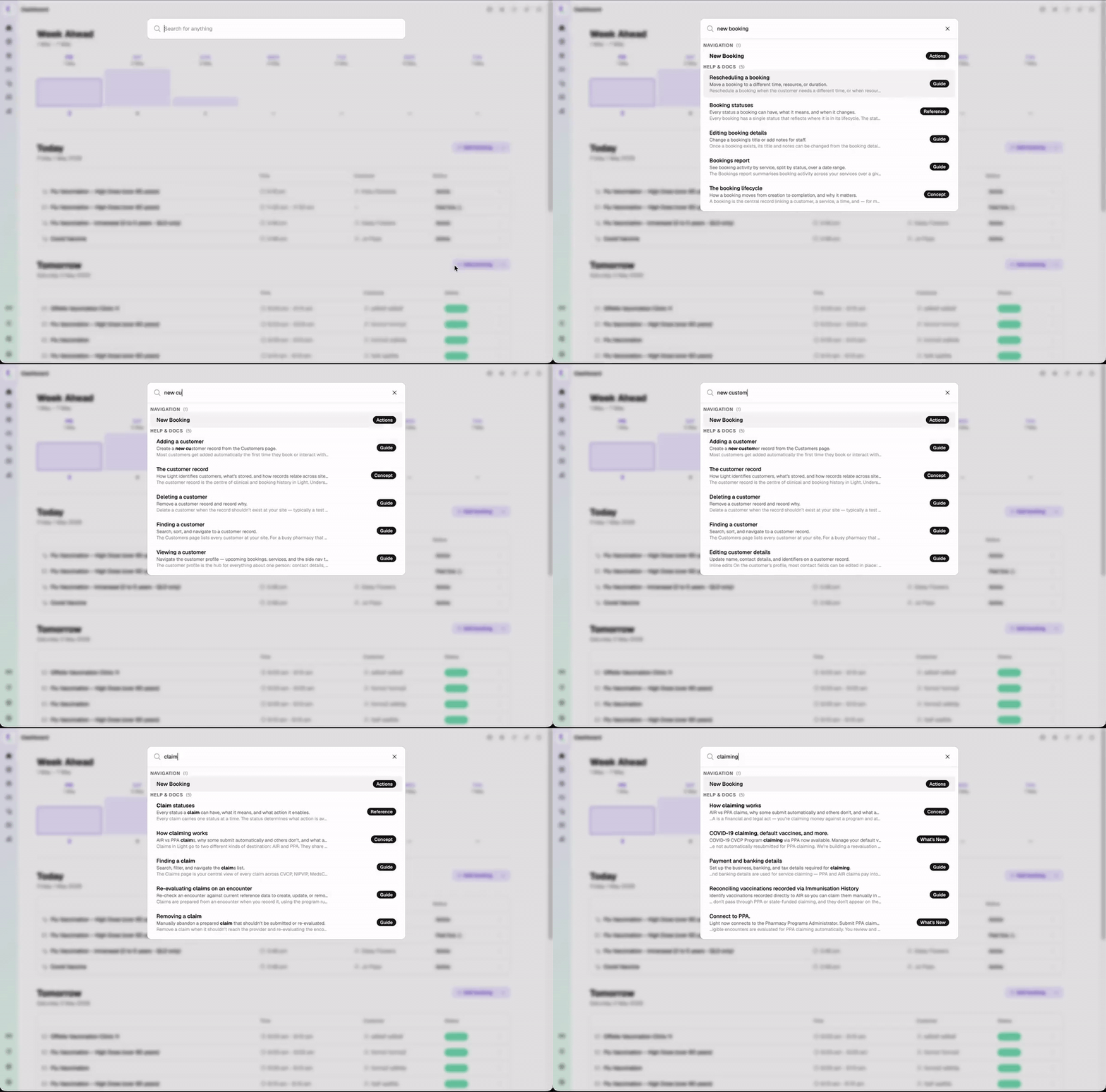
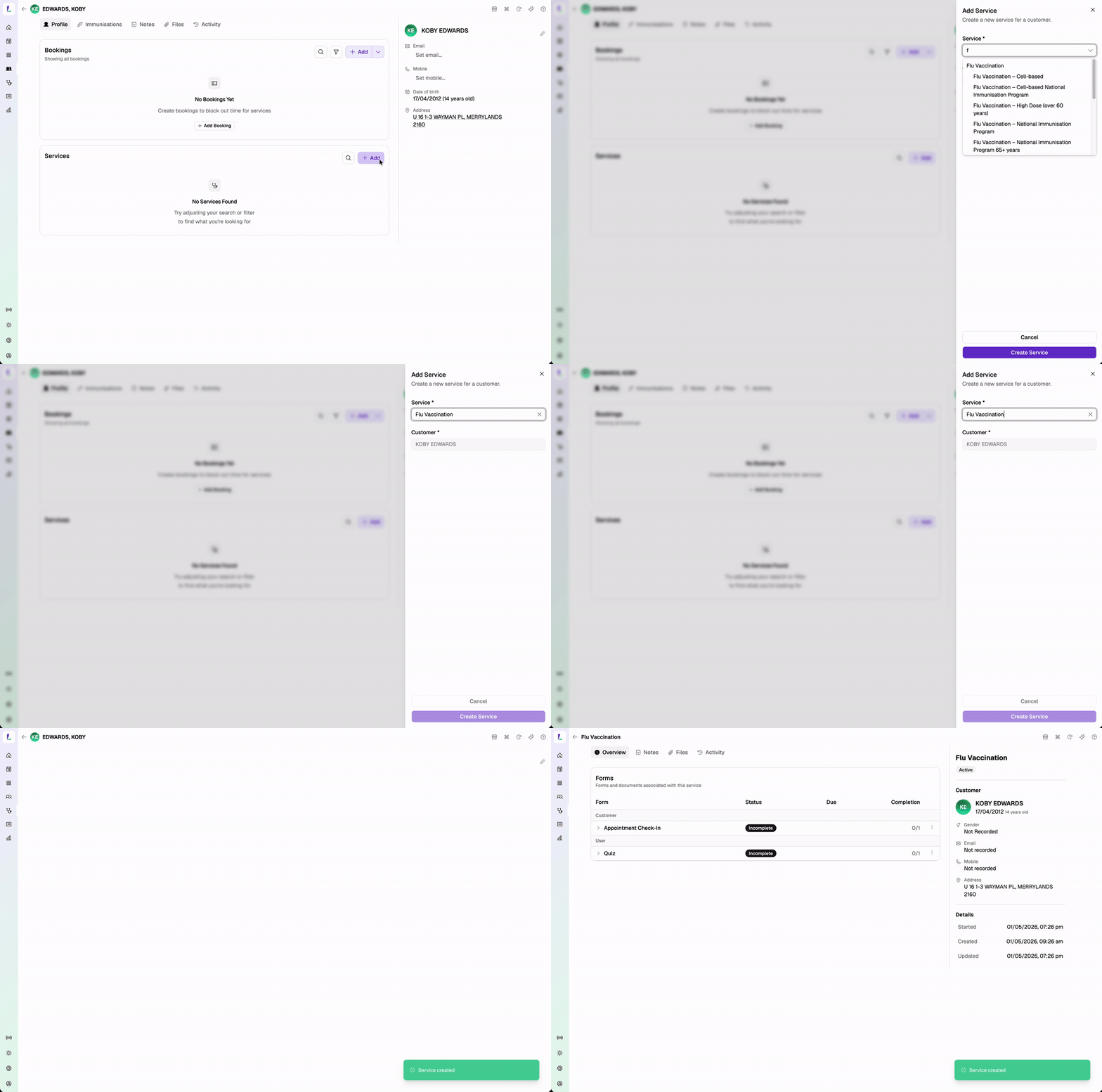
Start a service without a booking
Services no longer need a booking attached to begin. Start a service directly from a customer's profile, the Dashboard run-sheet, or Add service — useful for walk-in flu clinics, prescreeners completed ahead of arrival, and resource blocks for clinical work that isn't customer-facing.
If a booking turns up later, attach it to the service after the fact.
Kiosk improvements
Send a form straight to a kiosk from the service detail page. You no longer need a booking in front of the patient to push a form to the kiosk — send it standalone and the patient picks it up at the device.
Clearer confirmation screen with auto-return. After a patient submits a form on the kiosk, the confirmation screen now counts down and returns the device to the welcome screen automatically — no staff intervention between patients.
Busy kiosks are flagged on the Send sheet. When you choose a kiosk to send to, devices currently in use show a Busy indicator so you don't interrupt a patient mid-form.
Small things that make a big difference
Dashboard now shows the next 7 days, including walk-in services. The week-ahead view on the Dashboard includes both bookings and standalone services so the day's run-sheet is complete at a glance.
Changing a service no longer rejects an already-redeemed voucher. Previously, swapping the service on a booking with a redeemed voucher would error. The redemption is now recycled against the new service.
Coming up
More claims-screen updates are landing before we move to fully automated PPA claiming and broader state-funded program support. Dedicated prescreeners for COVID-19 and FluMist services are also on the way.